The full guide to the Elegoo Centauri Carbon
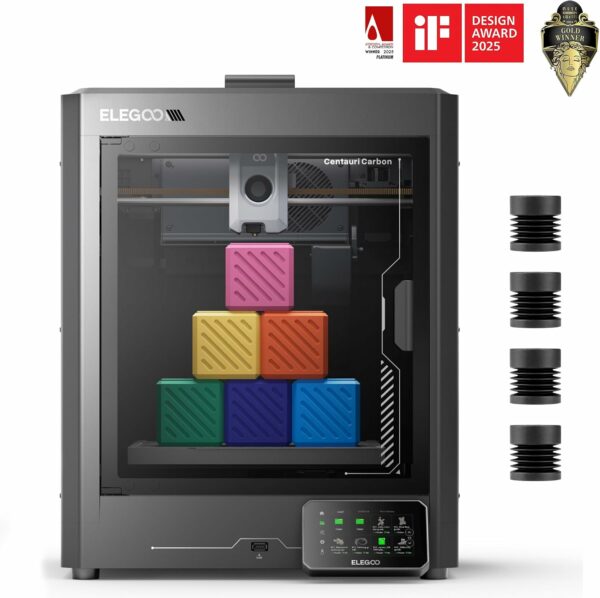
The Elegoo Centauri Carbon is an enclosed CoreXY printer for people who want to move beyond PLA without building or tuning a machine. The enclosure and 320 °C hardened-steel nozzle open up ABS, ASA and fibre-reinforced filaments, and Elegoo ships it fully assembled and pre-calibrated. The trade-off is bulk: at 17.5 kg it needs a sturdy, permanent spot, and out of the box it prints one colour at a time.
Key specifications
| Type | Enclosed CoreXY FDM, die-cast aluminium frame |
|---|---|
| Build volume | 256 × 256 × 256 mm |
| Max speed | 500 mm/s |
| Max acceleration | 20,000 mm/s² |
| Nozzle | Brass-hardened steel, 0.4 mm as standard, up to 320 °C |
| Max bed temperature | 110 °C |
| Materials | PLA, PETG, TPU, ABS, ASA, PET, PC, PA and carbon- or glass-fibre reinforced filaments |
| Calibration | Automatic bed levelling, vibration compensation, pressure advance |
| Camera | Built-in chamber camera with LED lighting and time-lapse |
| Build plate | Flexible, dual-sided textured plate, including a PLA-specific surface |
| Connectivity | USB drive and Wi-Fi |
| Slicer | ELEGOO Slicer (recommended); opens STL, OBJ, 3MF and STP files |
| Print precision | ±0.1 mm, according to Elegoo |
| Power | AC 100–240 V, 50/60 Hz; rated 1,100 W at 220 V |
| Size and weight | 398 × 404 × 490 mm, 17.5 kg |
| Room temperature | 5–40 °C |
| Noise level | Not published by the manufacturer |
| Out of the box | Fully assembled and pre-calibrated |
Who it suits — and who should skip it
A good fit if:
- You want functional parts in ABS, ASA or carbon-fibre blends, which is what the enclosure and hardened nozzle are for.
- You’d rather not calibrate by hand: the first start runs a self-check of the heaters, fans, input shaping and bed levelling.
- You like to keep an eye on long prints through the chamber camera and its time-lapse.
- You have a permanent, ventilated spot for a 17.5 kg machine, plus room for the spool holder on its right-hand side.
Skip it if:
- You only plan to print PLA and TPU. Elegoo tells you to remove the glass top cover for those, so the enclosure adds less.
- You want several colours from day one. Out of the box it feeds one spool.
- You want tool-free nozzle swaps: the nozzle unscrews with a 6 mm spanner while hot.
What’s in the box and setting it up
Elegoo’s user manual lists a touch screen, spool holder, filament sample, power cord, unclogging pin tool, four Allen keys (1.5, 2.0, 2.5 and 3.0 mm), a screwdriver, a spare nozzle wiper for the bed, a USB drive with the manual and software, a scraper blade and the printed manual.
- Lift out the foam and the tool kit from inside the printer.
- Unlock the heated bed by removing the three transport screws with an Allen key.
- Plug the screen’s ribbon cable in, gold contacts facing up, then push the screen into its slot.
- Fit the spool holder on the right side and turn it anticlockwise to lock it.
- Feed filament into the filament detector until it stops, then power on.
- Let the self-check finish without tapping or moving the printer.
For the first print, the manual has you heat the nozzle (220 °C for PLA in its example), extrude until filament flows, then pick a test file stored on the printer. Our guide to getting your first print right covers what to check on that first layer.
One detail many buyers miss: the filament cutter’s stopper sits in a non-printable corner of the bed. Elegoo’s wiki explains how to use the full 256 × 256 mm: remove the stopper with a 2.0 mm Allen key and set the slicer’s excluded bed area to 0 × 0. Automatic unloading stops working after that, so you unload by hand.
Which materials it prints
Elegoo lists PLA, PETG, TPU, ABS, ASA, PET, PC, PA and carbon- or glass-fibre reinforced filaments. The closed chamber keeps warm air around the print, which helps ABS and ASA, plastics that tend to warp as they cool; our article on why an enclosure matters goes into the details. The other half is the hardened-steel nozzle, which Elegoo fits for abrasive carbon- and glass-fibre filaments.
For PLA and flexible filaments, the manual says to take the glass top cover off. If you’re weighing up the tougher plastics, our comparison of ASA, ABS and PETG explains which suits outdoor, heat or impact use.
The flexible build plate has two textured sides. Elegoo asks you to recalibrate before printing whenever you flip to the other side. If first layers stop sticking over time, the manual suggests a glue stick or bed adhesive spray, or a new plate.
When you print ABS or ASA, ventilate the room. The printer has an air filter on its back panel, but Elegoo’s manual gives no filtration figure. Our page on 3D printing safety at home has the house rules.
Living with it: maintenance and running costs
- Every three months: Elegoo’s wiki recommends cleaning and greasing the X and Y shafts, the three Z shafts and the Z lead screws, with the printer switched off for the X and Y work. You need a dust-free cloth, lubricating grease and tweezers; grease isn’t in the box.
- Regularly: wipe dust and filament residue off the body with a dry cloth (power off first) and check the cooling fans for debris.
- Clogs: the wiki’s fix is to remove the nozzle assembly (two screws, 2.5 mm Allen key), heat it to 220 °C and push the cleaning needle through three to five times.
- Nozzle changes: heat the nozzle to 220 °C, hold the hotend with pliers and unscrew the nozzle with a 6 mm spanner. Re-level the bed afterwards, as after any work on the nozzle or plate.
Elegoo classes nozzles, heaters, thermistors, hotends, PTFE tubes and build plates as consumables, so expect to replace them over the printer’s life. The 1,100 W figure is the rated power at 220 V; Elegoo doesn’t publish a typical consumption per print.
How it compares with the other printers we list
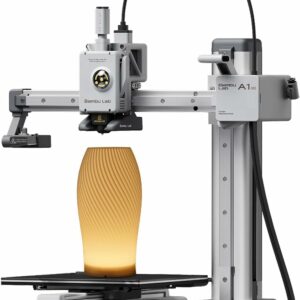
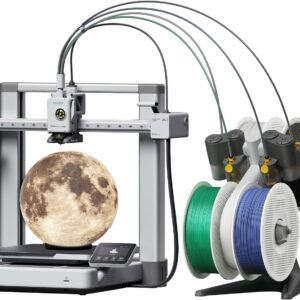
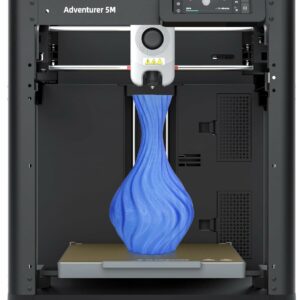
| Elegoo Centauri Carbon | Bambu Lab A1 Combo | Flashforge Adventurer 5M | |
|---|---|---|---|
| Design | Enclosed CoreXY | Open frame, moving bed | Open CoreXY |
| Build volume | 256 × 256 × 256 mm | 256 × 256 × 256 mm | 220 × 220 × 220 mm |
| Max acceleration | 20,000 mm/s² | 10,000 mm/s² | 20,000 mm/s² |
| Max nozzle temperature | 320 °C | 300 °C | 280 °C |
| Colours | One | Up to 4, AMS lite included | One |
The A1 Combo matches the build volume and adds four-colour printing, but its open frame is best with PLA, PETG and TPU. The Adventurer 5M is smaller and open. If engineering filaments are the goal, the Centauri Carbon is the only one of the three built for them. Our Centauri Carbon vs A1 comparison goes deeper, and the guide to CoreXY versus bed-slinger printers explains the motion difference.
Common questions
Does the Elegoo Centauri Carbon need assembling?
No. Elegoo ships it assembled and pre-calibrated. You remove the packing, unlock the bed, attach the screen and spool holder, and the printer runs its own self-check.
Can the Centauri Carbon print carbon-fibre filament?
Yes. Elegoo lists carbon- and glass-fibre reinforced filaments, and fits a hardened-steel nozzle for them.
Should the top cover stay on for PLA?
No. Elegoo’s manual says to remove the glass top cover when printing PLA and flexible filaments. For ABS and ASA, the closed chamber is the point.
Why can’t it print across the whole bed?
The filament cutter’s stopper occupies a corner, which the slicer marks as excluded. Removing the stopper and setting the excluded area to 0 × 0 unlocks the full 256 × 256 mm, at the cost of automatic unloading.
Can it print in more than one colour?
Not as sold. Elegoo’s wiki describes a multicolour add-on, CANVAS, that feeds up to four spools once it is installed on the printer.
Specifications as published by Elegoo on its official pages, user manual and wiki, checked October 2026. Where a figure isn’t published, we say so.