
The full guide to the Bambu Lab A1 Combo
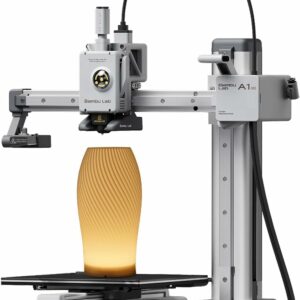
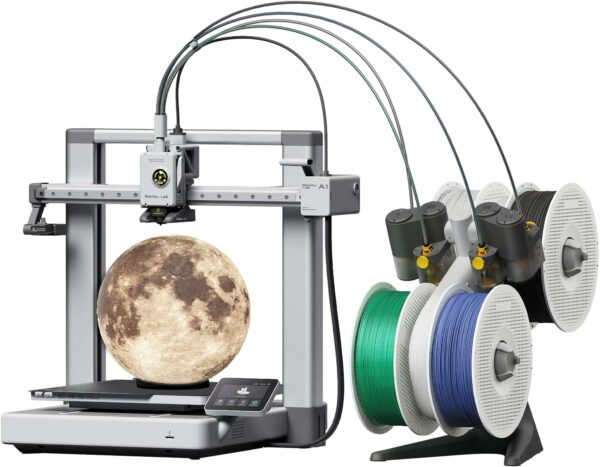
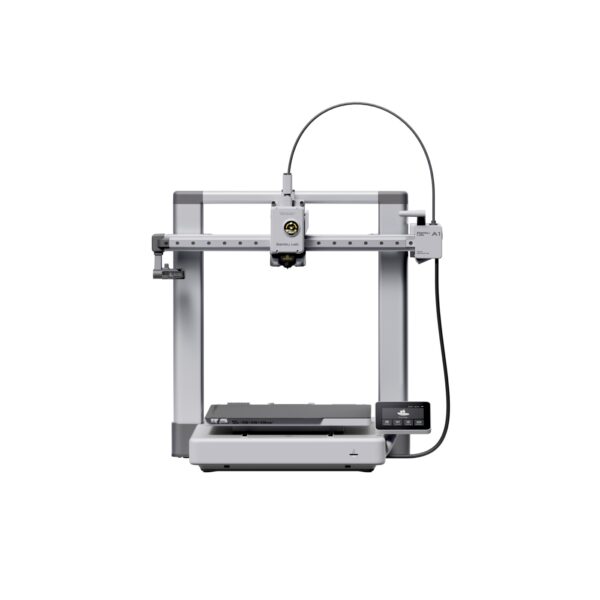
The Bambu Lab A1 Combo pairs the full-size A1, with its 256 mm bed, with the AMS lite, a feeder that holds four spools so one print can carry four colours. Calibration of the Z-offset, bed level, vibration and flow is automatic. The trade-off is room: with the moving bed and the feeder beside it, it needs a large, sturdy table.
Key specifications
| Type | Open-frame FDM, moving bed |
|---|---|
| Build volume | 256 × 256 × 256 mm |
| Max speed | 500 mm/s |
| Max acceleration | 10,000 mm/s² |
| Max nozzle temperature | 300 °C |
| Max bed temperature | 100 °C |
| Calibration | Automatic Z-offset, bed levelling, vibration compensation and flow |
| Nozzle | 1-clip quick swap; 0.4 mm stainless steel fitted, 0.2, 0.6 and 0.8 mm available |
| Build plate | Textured PEI plate included |
| Multicolour | AMS lite included, up to 4 colours |
| AMS lite spools | 40–68 mm wide, 53–58 mm inner diameter, according to Bambu Lab |
| Camera | Low-frame-rate camera, up to 1080p, with time-lapse |
| Connectivity | Wi-Fi, cloud or LAN-only mode; 32 GB microSD card supplied |
| Noise | About 48 dB in Silent mode, according to Bambu Lab |
| Power draw | About 5 W idle and 95 W on average printing PLA (220 V input), according to Bambu Lab |
| Size and weight | Printer 465 × 410 × 430 mm, 8.3 kg |
| In this bundle | LED lamp kit |
Who it suits — and who should skip it
The A1 Combo makes sense if:
- You want colour without painting: signs, badges, game pieces, logos and models with printed-in details.
- Your projects outgrow a 180 mm cube. Bambu Lab’s own example is a helmet printed in one piece.
- You’d like a printer that tunes itself before each job, with no manual levelling.
- You mainly print PLA and PETG, plus TPU from the external spool holder.
Look elsewhere if:
- Your desk is small. Bambu Lab asks for about 695 mm front to back for the bed’s travel, and recommends the AMS lite sits 50 mm to the right of the printer.
- You plan to print ABS, ASA or nylon parts of any size. An enclosed printer is the better tool.
- You need more than four colours in one print. The A1 accepts a single AMS lite.
What’s in the box and setting it up
Bambu Lab’s unboxing guide lists the printer base and frame with their screws, the AMS lite body, stand and four rotary spool holders, the purge wiper, a spool holder, four PTFE tubes for the AMS lite and one for the external spool, the textured PEI plate, sample filament, an unclogging pin, H2 and H1.5 Allen keys, a cable organiser, a scraper blade, a spare filament cutter, lubricant oil and grease, and a 32 GB microSD card inside the printer.
Unlike the A1 mini, the A1 arrives in two main parts. The official guide runs roughly like this:
- Cut the zip tie that locks the heatbed, then lower the base into the frame.
- Unlock the toolhead and Z-axis, then fix the base with 12 screws.
- Slide in the cable box and plug in the three colour-coded connectors.
- Fit the build plate, unfold the touchscreen and install the purge wiper.
- Assemble the AMS lite, put the two short tubes in ports 1 and 2 and the long ones in 3 and 4, and connect its cable.
- Switch on and follow the on-screen calibration.
Place a container under the purge wiper to catch purged filament. If space is tight, Bambu Lab explains how to mount the AMS lite on the printer’s top beam with a printable bracket from MakerWorld; the total height is then about 80 cm. Then getting started in Bambu Studio covers slicing and colour painting.
Which materials it prints
Bambu Lab lists PLA, PETG, TPU and PVA as ideal. Its FAQ adds that ABS, ASA, PC and PA (nylon) suit only for small, low-infill parts on the open frame, and that ABS and ASA give off irritating fumes, so it advises printing them only in a well-ventilated room away from people. Our guide to 3D printing safety covers ventilation in more detail.
The AMS lite has stricter rules than the printer. Bambu Lab says not to feed it:
- flexible filaments such as TPU 95A or softer, TPE, or PVA;
- brittle or very stiff third-party carbon- or glass-fibre filaments.
Print those from the external spool holder; our TPU guide explains why flexible filament needs a short, direct path. Check your spools too: the rotary holders take spools 40–68 mm wide with a 53–58 mm inner diameter. Measure a third-party spool before you buy in bulk. Fibre-filled filaments also need a hardened steel nozzle in place of the stainless one fitted.
Living with it: maintenance and running costs
Bambu Lab’s maintenance guide starts with one rule: power off and unplug before any work. Then:
- Every week: check the two fans for dust.
- Every month: clean and oil the rails, and clean the hotend heating assembly.
- Every three months: lubricate the two Z-axis lead screws and the idler pulleys.
- Every three rolls: check the filament cutter blade, which works hard in multicolour printing.
- Every six rolls of PLA: replace worn PTFE tubing (every two with carbon-fibre filament).
Belt tension is checked by the printer, which prompts you when a belt needs adjusting. The hotend uses a quick-release clip, so a worn or clogged one swaps without unplugging small connectors.
The real running cost of multicolour printing is filament. Every colour change purges material, so multicolour prints take longer and use more of it. Our guide to planning multicolour prints shows how to keep changes down.
How it compares with the other printers we list
| Printer | Build volume | Design | Max nozzle temperature | Multicolour |
|---|---|---|---|---|
| Bambu Lab A1 Combo | 256 × 256 × 256 mm | Open frame, moving bed | 300 °C | AMS lite included, up to 4 |
| Bambu Lab A1 mini | 180 × 180 × 180 mm | Open frame, moving bed | 300 °C | Optional AMS lite, up to 4 |
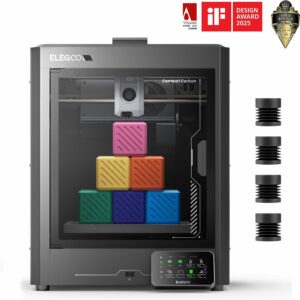
| Elegoo Centauri Carbon | 256 × 256 × 256 mm | Enclosed CoreXY | 320 °C | One colour at a time |
The A1 mini shares the toolhead but has a smaller bed that tops out at 80 °C rather than 100 °C; our A1 mini vs A1 comparison helps you pick a size. The Elegoo Centauri Carbon matches the build volume but is enclosed, with a hardened-steel nozzle, and Elegoo lists ABS, ASA and fibre-filled filaments among its materials. It weighs 17.5 kg and prints one colour at a time.
Common questions
What does the Combo add over the standard A1?
The AMS lite: its body, stand, four rotary spool holders and the PTFE tubes that link it to the toolhead. The printer itself is the same A1.
Can the A1 Combo print with more than four colours?
No. Bambu Lab confirms the A1 supports a single AMS lite, so four colours is the maximum in one print.
Should the A1 go inside an enclosure?
Bambu Lab doesn’t recommend enclosing the A1. For materials that need a warm chamber, an enclosed printer is the better choice.
Which build plate should be used on the A1?
Stick with the textured PEI plate in the box, which takes PLA, PETG and TPU with no glue. Bambu Lab’s FAQ advises against other plates on the A1, as they may grip its magnetic bed less firmly.
Specifications as published by Bambu Lab on its official pages, checked October 2026. Where a figure isn’t published, we say so.