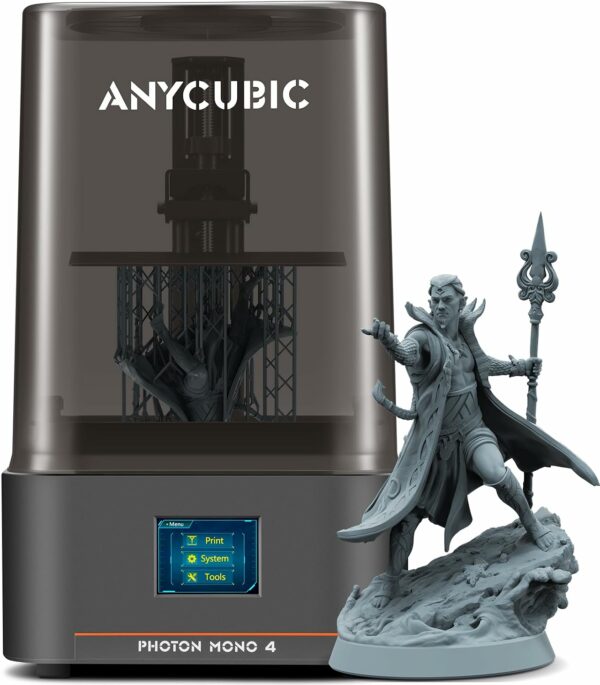
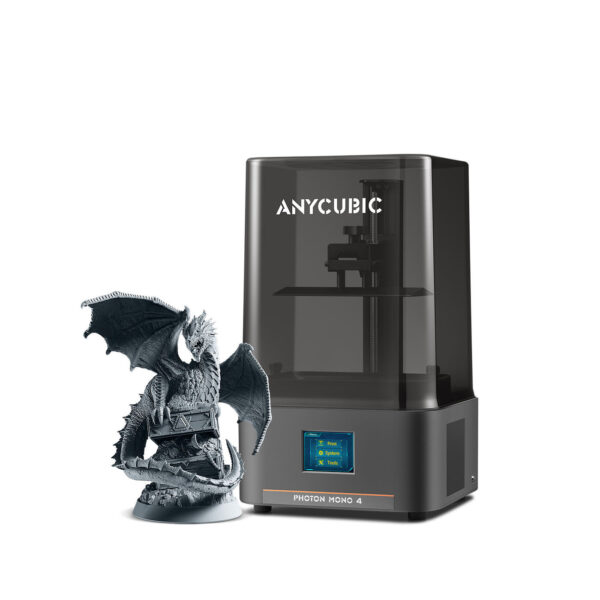
The full guide to the Anycubic Photon Mono 4
The Photon Mono 4 is the smaller, simpler way into resin. Its 7-inch 10K screen resolves 17 µm pixels, enough for miniatures and jewellery, and its levelling is done by hand with four screws. The trade-off is a compact build area and no Wi-Fi: files travel on a USB stick.
Key specifications
| Type | MSLA resin |
|---|---|
| Screen | 7-inch 10K mono LCD, 9,024 × 5,120 px |
| XY resolution | 17 × 17 µm |
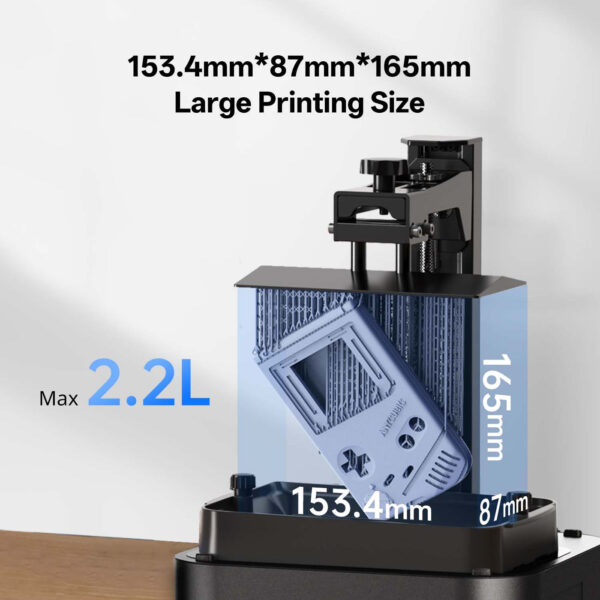
| Build volume | 153.4 × 87 × 165 mm |
| Layer thickness | 0.01–0.15 mm suggested, according to the user manual |
| Speed | Up to 50 mm/h with standard resin and up to 70 mm/h with high-speed resin, at 0.1 mm layers, according to Anycubic |
| Light source | Parallel matrix light source, according to Anycubic |
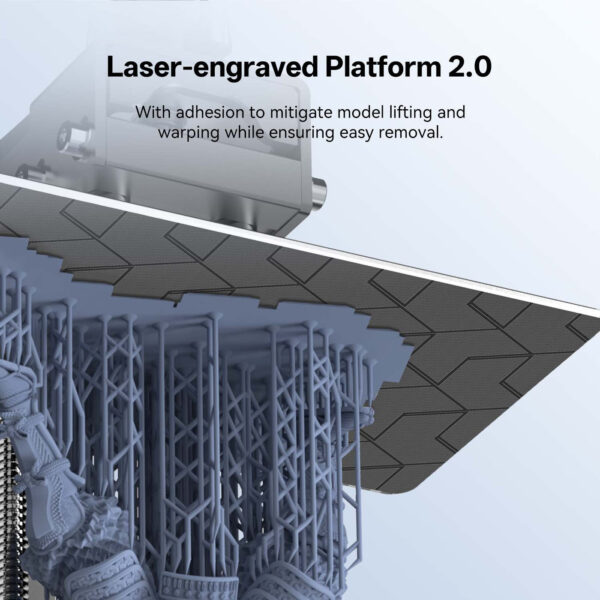
| Platform | Laser-engraved Platform 2.0 |
| Levelling | 4-point manual levelling |
| Resin vat | Up to 390 ml (MAX line); FEP release film |
| Controls and software | 2.8-inch resistive touch screen; Anycubic Photon Workshop slicer, other slicers also supported |
| Connectivity | USB drive only; no Wi-Fi |
| Power | 24 V 2.5 A adapter; 54 W, according to Anycubic |
| Size and weight | 230 × 235 × 391 mm; 4 kg |
| Other | Resume after power loss |
Who it suits — and who should skip it
Choose it if:
- You want to find out whether resin printing suits you before committing to a bigger machine.
- You print small things: tabletop miniatures, figurine heads, jewellery masters, small replacement parts.
- Space is tight. At 230 × 235 × 391 mm and 4 kg, according to Anycubic, it is compact enough for a small desk or a sturdy shelf.
Skip it if:
- You want to print large busts, terrain tiles or several big models at once. The 87 mm depth fills up quickly.
- You want to send files over the network or watch prints from your phone. Anycubic confirms there is no Wi-Fi module.
- You have no ventilated room away from living and sleeping areas, or young children can reach the workspace. If you’re unsure whether resin is the right route at all, our guide to resin versus filament printers sets out the differences.
What’s in the box and setting it up
The user manual lists the printer, print platform, resin vat, screen protector kit, hex key set, protective equipment (gloves), filters, two scrapers, levelling paper, the manual, a USB drive and a power adapter. Resin and a wash-and-cure station are not included.
Setting up follows the manual’s order:
- Lift off the cover, raise the arm with Tools, Move Z, and fit the print platform.
- Loosen the platform’s four screws, lay the levelling paper on the screen and tap Home.
- Press the platform gently onto the paper and tighten the four screws; the paper should then resist strongly when you pull it.
- Set the zero position, run the exposure test image, then fit the vat with its two knobs.
- Check the release film for damage, pour resin up to the 390 ml MAX line and close the cover.
The USB drive carries a test print and the R_E_R_F file, which prints a range of exposure times so you can find the best setting for each resin.
Which materials it prints
The Photon Mono 4 prints 405 nm photopolymer resin. Anycubic lists high-speed, water-washable, standard, ABS-like and plant-based resins as compatible. Its wiki recommends Anycubic’s own resin and warns that other brands cure at different rates, so expect to adjust the exposure time using the R_E_R_F file. In our shop, Elegoo Water Washable Resin 2.0 is a 405 nm resin listed for this printer; it rinses in water rather than alcohol, but the rinse water still carries uncured resin.
Anycubic’s manual and its safety data sheet for Standard Resin V2 set out the precautions:
- Gloves and eyes: the data sheet says the resin causes skin irritation, may cause an allergic skin reaction and causes serious eye damage. Wear gloves and eye protection; the manual also asks for anti-UV goggles because UV light harms the eyes.
- Ventilation: the manual says fumes may be irritating and the printer belongs in an open, well-ventilated area. It suggests a mask as well as gloves once the vat is in place. Anycubic sells an activated carbon air purifier as an option.
- Room conditions: 8–40 °C and 20–50 % humidity, out of direct sunlight, per the manual. Anycubic’s resin page recommends using resin above 20 °C, which matters in a cold room in winter.
- Children: keep the printer and its accessories out of their reach, the manual says.
- Washing, curing and disposal: the manual has you wash prints in 95 % alcohol or another cleaner, dry them, then post-cure under UV. Anycubic says never to pour cleaning liquid down the drain: let the resin in it settle and cure in sunlight, then dispose of it as solid waste. The data sheet classes the resin as toxic to aquatic life.
Our guide on how to cure resin prints covers that last step, and our resin printer safety guide covers the workspace.
Living with it: maintenance and running costs
Anycubic’s wiki and manual focus on the vat and the screen:
- After a failed print: run Vat Cleaning, which cures a thin sheet across the film, then lift it out with a plastic scraper. Never scrape the film with anything sharp.
- Release film: the Status screen counts prints and layers and tells you when the FEP film is due for replacement. The swap uses 2.5 mm and 3.0 mm Allen keys.
- Screen protector: the anti-scratch film shields the LCD from leaks. Replace it regularly, and straight away if stains won’t come off.
- Idle printer: if it won’t be used within 48 hours, filter the resin back into its bottle through a funnel and filter, and wipe the vat.
- Z-axis: clean and lightly grease the lead screw about every three months, or sooner if it gets noisy. Anycubic warns against lubricating oil, which can run into the motor.
Running costs come from resin, alcohol or other cleaner, gloves, release films and screen protectors. If prints come away from the platform, our guide to resin prints that won’t stick goes through the causes in order.
How it compares with the other printers we list
| Figure | Anycubic Photon Mono 4 | Elegoo Saturn 4 Ultra 16K |
|---|---|---|
| Screen | 7-inch 10K | 10-inch 16K |
| XY resolution | 17 × 17 µm | 14 × 19 µm |
| Build volume | 153.4 × 87 × 165 mm | 211.7 × 118.4 × 220 mm |
| Levelling | 4-point manual | Automatic |
The Saturn 4 Ultra 16K adds a larger platform, automatic levelling, a heated vat and an AI camera; the Photon Mono 4 keeps things small and manual. Our Saturn 4 Ultra vs Photon Mono 4 comparison goes into detail. If you’re weighing resin against filament, the Bambu Lab A1 mini prints 180 × 180 × 180 mm in PLA, PETG and TPU with no wash-and-cure step.
Common questions
Does the Photon Mono 4 have Wi-Fi?
No. Anycubic’s wiki confirms it has no Wi-Fi module and cannot be operated remotely. You slice on a computer and carry the file over on the supplied USB drive, or on one of 32 GB or less formatted to FAT or FAT32, with the file in its root folder.
Can you use other brands of resin?
Yes, as long as it is a 405 nm resin. Anycubic recommends its own, and says other brands need their exposure time adjusted; the R_E_R_F test file helps you find it.
How much resin does the vat hold?
The vat’s MAX line is at 390 ml. Pour slowly and stay under the line.
Which wash-and-cure station fits it?
In our shop, the Anycubic Wash & Cure 3 is made for printers of 7.3 inches and below, including the Photon Mono 4 series.
Specifications as published by Anycubic on its official pages and in its user manual, checked October 2026. Where a figure isn’t published, we say so.