Budget 3D printers: what the lower price trades away
The three printers in this collection sit at the lower end of the range and still handle the jobs that used to make cheap machines frustrating. Two are filament printers that level themselves; one is a compact resin printer. Spending less always gives something up, so the useful question is which compromise you can live with. Current prices are on each listing, as they change too often to print here.
What you give up, and whether it matters
Build volume
Smaller beds keep costs down. The A1 mini prints up to 180 × 180 × 180 mm and the Adventurer 5M up to 220 × 220 × 220 mm. If most of what you want fits in a hand, that is plenty; for helmets or large storage boxes, it isn't.
Colour
Both filament printers here print one colour at a time as sold. For signs, labels or two-tone toys that is a real limit; for brackets, clips and replacement parts it rarely matters.
Materials
Neither filament machine is enclosed, so they suit PLA, PETG and TPU rather than ABS or ASA.
Running costs you can't see in the listing
A filament printer needs only spools and the odd nozzle. A resin printer also needs gloves, resin, a cleaning liquid and somewhere to wash and cure parts, which adds to the real cost of a low-priced resin machine. Our list of common printer buying mistakes covers the extras people forget, and how much filament a print uses helps you estimate spool spend.
Which budget printer for whom
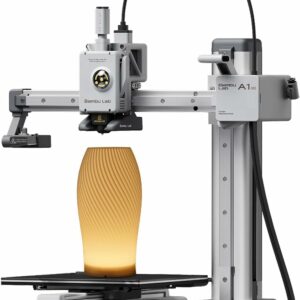
Most people starting out: the Bambu Lab A1 mini. Automatic calibration, 500 mm/s, a nozzle that reaches 300 °C and optional 0.2, 0.6 and 0.8 mm nozzles beyond the standard 0.4 mm. This bundle includes an LED lamp kit.
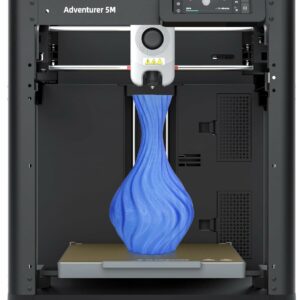
A larger bed at the budget end: the Flashforge Adventurer 5M. A CoreXY machine on an all-metal frame with one-click levelling, a maximum nozzle temperature of 280 °C and a nozzle that releases in about three seconds.
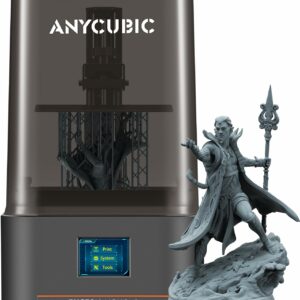
Miniatures and jewellery on a budget: the Anycubic Photon Mono 4. Detail comes from a 7-inch 10K screen with 17 × 17 µm pixels, over a platform of 153.4 × 87 × 165 mm. Levelling is manual, at four points, according to Anycubic, and it resumes after a power cut. Pair it with a station sized for it, such as the Anycubic Wash & Cure 3.
All three are ranked against the rest in our printer ranking; if you are weighing filament against resin, read which kind to buy first.
Common questions
Is a budget 3D printer good enough to learn on?
The two filament printers here calibrate or level themselves, which removes the setup that made older low-cost machines hard work. What you trade away is mainly bed size, colour and the choice of materials.
Does the resin printer need more extras than the filament ones?
Yes. Resin needs gloves, a cleaning liquid and a wash-and-cure step on top of the resin itself, while a filament printer mainly uses spools.
Can the A1 mini print in several colours later?
Yes, with the AMS lite feeder, which is sold separately or as the A1 mini Combo, for up to four colours.