

It depends on the model and your settings, so let the slicer tell you: after slicing, it shows how much filament the print needs in grams and metres. As a rule of thumb, a metre of 1.75 mm PLA weighs about 3 g, so a 1 kg spool holds roughly 338 m. Walls, infill, supports and colour changes decide the total.
No two prints use the same amount, so an average figure won’t help you. What helps is knowing where the slicer shows the estimate, which settings move it, and how to convert grams to metres when a spool label and a pen pack use different units. The examples use Bambu Studio and the Bambu Lab A1 mini. If slicing is new to you, start with what a slicer actually does.
New to all of this? Start with our beginner’s guide to 3D printing, which takes you from choosing a printer to a first successful print.
Where does the slicer show how much filament a print uses?
In the preview, once you’ve sliced the model. Bambu Lab’s guide to the slicing results says the Filament view lists the length and the weight of filament used for the model, for flushing and for the prime tower, for each filament in the job. If you change a setting afterwards, slice again: the figures only update when you do.
Read the breakdown, not just the total
Switch the preview to Line type. For each type of line, from outer walls to infill and supports, Bambu Studio shows its print time, its share of the total time, and the length and weight of filament it uses. It tells you where the grams go before you touch anything: if supports take a big share, work on supports; if infill dominates, that’s your lever.
Why the weight is only as good as your filament profile
The slicer works out the length from the toolpaths, then turns it into weight with the density stored in the filament profile. Bambu Studio’s settings make the split clear: density is for statistics only, while the diameter feeds the extrusion calculation and must be accurate. A wrong diameter spoils prints; a wrong density only spoils the estimate. On a generic profile, compare its density with the maker’s data sheet: SUNLU publishes 1.23 g/cm³ for its PLA and 1.27 g/cm³ for its PETG.
What actually changes how much filament a print uses
Six things move the total. Change one at a time, slice, and read the line that changed in the breakdown.
Size: the volume grows faster than you think
Scale is easy to forget, and it moves the total fast. A solid object scaled to 200 % is twice as tall, wide and deep, so it holds eight times the plastic (2 × 2 × 2). Printed parts aren’t solid, so the jump is smaller, but still large: re-slice after every change of scale.
Walls and solid top and bottom layers
Each extra wall loop is another line traced around the outline of every layer, and each solid top or bottom layer is a fully filled layer. Walls follow the surface while infill fills the volume, so on small or thin parts the walls can account for most of the weight: the Line type view shows whether yours do. On a part that has to take a load, keep the walls and save elsewhere.
Infill
Infill is the lattice inside the walls. Bambu Lab’s slicing guide suggests checking it in the preview so the density suits the part’s strength without wasting filament. Doubling the percentage rarely doubles the total, because walls, top and bottom layers and supports stay the same. Patterns and percentages are covered in our guide to how much infill you really need.
Supports
Supports are printed, snapped off and thrown away, so every gram on the support line is waste. Ways to cut it, in the order we’d try them:
- Rotate the model so fewer surfaces overhang, then slice again and compare the support line.
- Support from the build plate only. Prusa calls this a quick way to get rid of excess supports, mostly on organic shapes. Check the preview afterwards that every overhang is still held up.
- Try a branching support style. Prusa describes its organic supports as fast and cheap to print, and easy to remove. Bambu Studio offers tree supports alongside normal ones: compare the two on figures and other rounded models.
- Block or paint supports so they only go where the model needs them.
Rafts and the purge line
A raft raises the whole part on layers of support material that you peel away when the print finishes, according to Prusa. That’s filament you’ll bin, so use one only when a part won’t stay down without it. Every print also starts with a short line at the front of the bed that primes the nozzle, which Bambu Lab calls the nozzle load line: small, but it comes off the spool too.
Colour changes: flushing and the prime tower
With the A1 mini and its optional AMS lite, each colour change pushes the old filament out of the nozzle until the new one runs clean (flushing), then primes the nozzle on a prime tower. Neither ends up in your model, and dark-to-light changes need a bigger flush than light-to-dark ones, according to Bambu Lab.
Bambu Lab’s own example shows the scale: an 11 g four-colour cube printed with 0.2 mm layers needed 153 filament changes and 83 g of waste. With 0.28 mm layers, that fell to 111 changes and 61 g, because fewer layers means fewer changes.
Bambu Lab’s ways to cut the waste, in the order we’d try them:
- Try another orientation. In one Bambu Lab example, laying a tall part on its side cut changes and waste by almost 80 %. It can also backfire, so slice both ways and compare.
- Put the colour changes low down if you can. The prime tower has to reach the highest layer with a change. Flipping one part so its changes sat at the bottom cut the tower from 14.76 g to 9.05 g in Bambu Lab’s example.
- Flush into something useful. Flushing into supports is on by default, but it only works with the prime tower enabled. Flushing into infill reuses the purge where it can’t be seen, but light and transparent colours may let it show through. Flushing into a spare object turns the purge into a part you’ll paint or use for something functional: in Bambu Lab’s example, about 70 g of flush fell to less than a gram.
- Print several copies at once. Waste follows the number of colour changes per layer, not the number of objects. Bambu Lab’s nine identical cubes on one plate made the same 83 g of waste as one cube on its own. Different models only gain if their colours fall on the same layers, so slice both ways and compare.
- Lower the flushing multiplier, carefully. Bambu Lab says 0.8 or 0.9 can save filament because the defaults lean towards quality, but run a test: too little flushing shows up as discoloured layers.
How to convert grams to metres (and back)
Spool labels give weight and pen packs give length, so it helps to do the sum yourself. You need two figures: the diameter, which is 1.75 mm for every printer spool and PLA refill pack we list, and the density on the maker’s data sheet.
- Find the cross-section. The radius is 1.75 ÷ 2 = 0.875 mm, or 0.0875 cm. The area is π × 0.0875² ≈ 0.02405 cm².
- Work out the volume of one metre. A metre is 100 cm, so 0.02405 × 100 ≈ 2.405 cm³.
- Multiply by the density. For SUNLU’s PLA at 1.23 g/cm³: 2.405 × 1.23 ≈ 2.96 g per metre.
- Convert. Metres = grams ÷ 2.96, and grams = metres × 2.96.
Two worked examples. A print the slicer puts at 40 g of PLA needs 40 ÷ 2.96 ≈ 13.5 m of filament. A full 1 kg spool holds 1,000 ÷ 2.96 ≈ 338 m.
| Filament | Density (data sheet) | Weight per metre, 1.75 mm | Length per kg, 1.75 mm | Length per kg, 2.85 mm |
|---|---|---|---|---|
| SUNLU PLA | 1.23 g/cm³ | 2.96 g | about 338 m | about 127 m |
| SUNLU PETG | 1.27 g/cm³ | 3.05 g | about 327 m | about 123 m |
The densities come from SUNLU’s product pages; the other columns are our calculation. A kilo of PETG is about 11 m shorter than a kilo of PLA, so the same model weighs about 3 % more in PETG. Tolerance matters a little too: at either end of SUNLU’s ±0.02 mm, a filament gains or loses about 2 % of its length per kilo.
3D pen refills: what a pack sold by the metre really holds
Most of the 1.75 mm pen refill packs we list give a length, not a weight, and split it across many colours. Here are their published lengths, with the weight each would have at SUNLU’s PLA density. None of these refill makers publishes a density, so treat that column as a guide, not a specification.
| Pack | Colours | Length per colour | Total length | Weight at 1.23 g/cm³ |
|---|---|---|---|---|
| Yungden 30-Colour PLA Refills | 30 | 3 m | 90 m | about 266 g |
| Helweet 20-Colour PLA Refills | 20, chosen at random | 3 m | 60 m | about 178 g |
| SCRIB3D PLA Refills | 20 | about 4.9 m | about 100 m | about 296 g |
| 3Dmate PLA Refill Kit | Not published | Not published | about 110 m | about 325 g |
| AQTAQ 3D Pen Starter Kit | 10 | Not published | 50 m | about 148 g |
Put another way, the 90 m in the Yungden 30-Colour PLA Refills is about a quarter of the length on a 1 kg spool of 1.75 mm PLA. Three metres of one colour suits outlines and accents; if you fill large areas in one colour, a single-colour bulk pack goes further. For comparison, the SCRIB3D P1 comes with 30 ft (about 9 m) of PLA across three colours, which covers a few small projects.
There’s no slicer for freehand drawing, so estimate from a sample. Draw one repeating element, such as a leaf, a letter or a panel of a box, from a measured strand, see how much is left, and multiply by the number of elements. The colour you use most runs out first. When you restock, compare our 3D pen refill packs by total metres rather than by number of colours.
Will your spool last the print? A four-step check
- Slice and note the weight for that spool’s filament in the Filament view.
- Weigh the spool on a kitchen scale.
- Subtract an empty spool. Spools differ between brands, so keep one empty spool of each brand you use and weigh it.
- Leave a margin. We’d want at least 10 % more filament than the estimate, to cover the nozzle load line, a restarted first layer and any gap between the profile’s density and the real one.
If it’s short, start on a fresh spool and keep the partial one for small jobs.
Our picks by reader profile
A first printer that does the maths for you: Bambu Lab A1 mini
The A1 mini arrives assembled, calibrates itself and works with Bambu Studio, whose preview gives filament length and weight per line type. Add the optional AMS lite for up to four colours, with the flushing costs described above. Skip it if you want to print large single pieces: at 180 mm, its bed is the smallest of the printers we list.
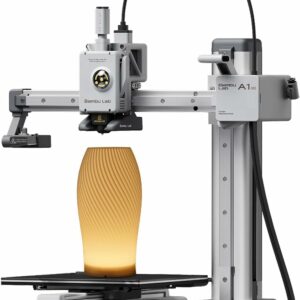
Assembled, self-calibrating, and paired with a slicer that shows filament use line by line, so you learn where the grams go from the first print.
Everyday PLA with a published density: SUNLU PLA Filament
The sums above use the density SUNLU publishes for its PLA, so they apply directly to the SUNLU PLA Filament: a 1 kg spool with a ±0.02 mm tolerance, according to SUNLU. Skip it for parts that will sit somewhere warm, as SUNLU’s heat deflection figure is 55 ± 5 °C. The rest of our printer filament range covers tougher and flexible materials.
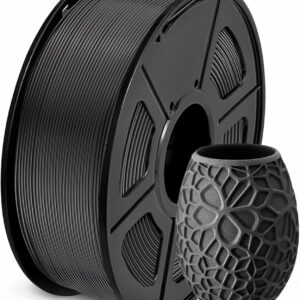
A 1 kg spool of 1.75 mm PLA with its density published, so the slicer’s estimate and your own sums agree.
Tougher parts: SUNLU PETG Filament
PETG is the step up for parts that take knocks or sit somewhere warmer, with a heat deflection temperature of 70 ± 5 °C, according to SUNLU. At 1.27 g/cm³ it gives about 327 m per kilo, and its 240–260 °C nozzle range is well within the A1 mini’s 300 °C maximum. Skip it if your prints are ornaments that stay indoors, where PLA does the job, and check your printer maker’s advice before using a smooth PEI plate, where PETG can bond very hard.
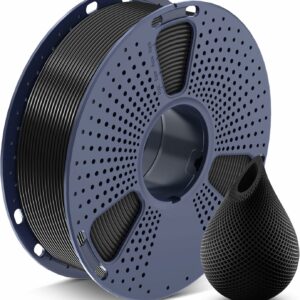
Tougher and more heat-resistant than PLA, with a published 1.27 g/cm³ density for accurate estimates.
Drawing with a 3D pen: Yungden 30-Colour PLA Refills
Thirty colours of 1.75 mm PLA at 3 m each, including two transparent and four fluorescent shades, for standard hot 3D pens: 90 m in all. Skip it if you draw large filled areas in one colour, or if your pen is a low-temperature model or a 3Doodler Start+, which takes its own low-temperature Start plastic instead.
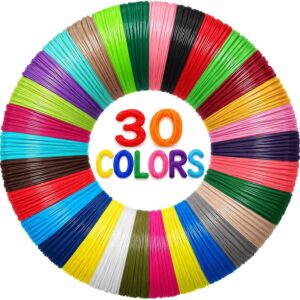
Ninety metres of 1.75 mm PLA in 30 colours, 3 m each: the widest choice of colours for accents and outlines.
Longer strands per colour: SCRIB3D PLA Refills
If your favourite colours run out first, the SCRIB3D PLA Refills give about 4.9 m per colour and about 100 m in total, with each colour vacuum packed. SCRIB3D sells them for its own P1 and most pens that take 1.75 mm PLA. Skip them if you own a 3Doodler Create+, which SCRIB3D says they don’t fit, or a low-temperature pen.
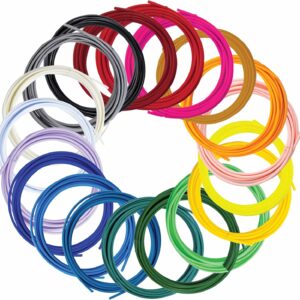
About 100 m of 1.75 mm PLA in 20 vacuum-packed colours, with longer strands than the 3 m-per-colour packs.
What to avoid
- Reading only the total. Without the line-type breakdown, you’re guessing which setting to change.
- A profile with the wrong diameter. It changes how much the printer extrudes, not just the estimate.
- Comparing pen packs by colour count. Compare total metres; the Kretrum 12-Colour PLA Refills, for instance, don’t state a length per colour.
- Leaving opened filament out. Filament that has taken on moisture can bubble in a hot pen, and every spoiled strand is wasted filament. Our guide to storing and drying filament covers what to do.
Common questions
How many metres are in a 1 kg spool of PLA?
About 338 m of 1.75 mm filament, using the 1.23 g/cm³ density SUNLU publishes for its PLA, or about 127 m at 2.85 mm. A brand with a slightly different density will differ by a few metres.
How do I work out the filament cost of a print?
Enter what you paid per kilo in the filament profile’s price setting, and Bambu Studio uses it in its print statistics. By hand, divide the grams the slicer shows by 1,000 and multiply by the price of a 1 kg spool. Add the flushing and prime tower figures for multicolour prints.
Why does a multicolour print use so much more filament than the model weighs?
Each colour change flushes the old filament out of the nozzle and primes the new one on a prime tower, and neither ends up in the model. Bambu Lab’s four-colour test cube, which weighs 11 g, produced 83 g of waste at 0.2 mm layers. Thicker layers, a different orientation and flushing into infill or supports all reduce it.
How much filament does a 3D pen drawing use?
There’s no fixed figure: it depends on size and how densely you fill. A metre of 1.75 mm PLA weighs about 3 g, so a 3 m refill strand is roughly 9 g of plastic. Draw one sample element from a measured strand and multiply up.
Sources
- View slicing information — Bambu Lab Wiki
- Reduce Waste during Filament Change — Bambu Lab Wiki
- Bambu Studio setting definitions (PrintConfig.cpp) — Bambu Lab on GitHub
- Support material — Prusa Knowledge Base
- SUNLU PLA — SUNLU
- SUNLU PETG — SUNLU