The full guide to the SCRIB3D PLA refills
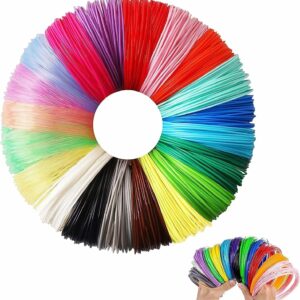
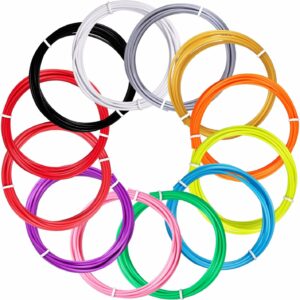
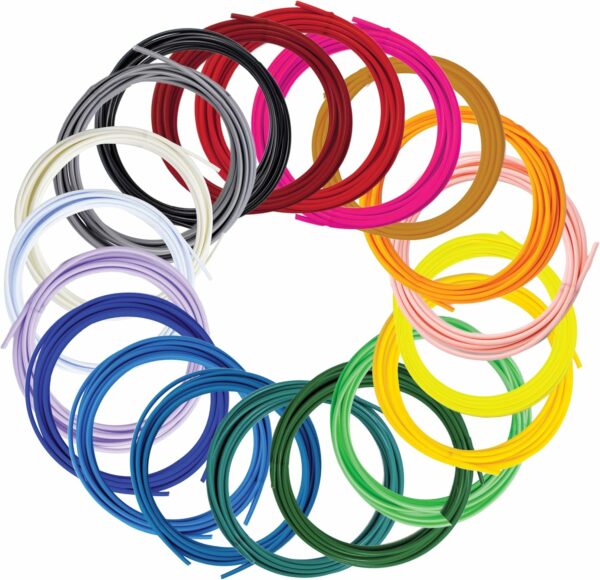
This is SCRIB3D’s own refill pack: twenty colours of 1.75 mm PLA, about 4.9 m of each, with every colour sealed in its own vacuum pack. It is the natural top-up for the SCRIB3D P1, because SCRIB3D publishes the same 160–210 °C range for both the pen’s PLA mode and this filament, and it also suits most other pens that take 1.75 mm PLA. The trade-off is the format: short loose lengths are made for pens, so anyone feeding a 3D printer will want a spool instead.
Key specifications
| Material | PLA, 1.75 mm |
|---|---|
| Colours | 20 |
| Length | 16 ft (about 4.9 m) per colour, about 100 m in total |
| Printing temperature | 160–210 °C |
| Packaging | Each colour vacuum packed |
| Fits | SCRIB3D, PIKA3D, MYNT3D and most pens that take 1.75 mm PLA, according to SCRIB3D |
| Does not fit | 3Doodler Create+ (according to SCRIB3D) and low-temperature pens such as the 3Doodler Start+ |
| Diameter tolerance | Not published by the maker |
Who it suits — and who should pick something else
Pick this pack if any of these describe you:
- You own the SCRIB3D P1 pen. Its starter filament is three colours, 30 ft in all, and this pack adds twenty colours from the same maker, with a temperature range that matches the pen’s PLA mode.
- You draw with the MYNT3D Super pen or another pen built for 1.75 mm PLA. SCRIB3D names MYNT3D and PIKA3D pens as compatible.
- You draw in short sessions and want colours to stay sealed until you need them.
Pick something else if:
- Your pen is a 3Doodler Start+. It takes 3Doodler’s low-temperature Start plastic only, so look at the Kretrum pack sold for the Start family, and read 3Doodler’s warranty terms first.
- You want transparent or fluorescent shades. SCRIB3D’s pack is described as a bright mix of plain colours; the Yungden pack lists both.
What’s in the box
Twenty colours of 1.75 mm PLA, each about 4.9 m long and sealed in its own vacuum pack. There is no pen, mat or stencil book in this pack.
Loading it into the SCRIB3D P1
SCRIB3D’s P1 manual sets out the routine, and most of it applies to any pen with forward and reverse buttons:
- Choose PLA mode on the display and press Forward to start heating. The temperature light shows red while heating and turns green when the pen is ready.
- Cut the end of the strand flat and straighten the last few centimetres. SCRIB3D stresses the flat end: it lets the fresh strand push the previous one through, and an angled or squashed tip can cause jams.
- Hold Forward (or double-click it for continuous feed) and push the filament in until you feel the pen pull it.
- To change colour, use Reverse and withdraw the strand completely. The manual warns that a partly withdrawn strand can swell inside the pen; if it does, pull it out fully and cut off the swollen part.
If the plastic bubbles or crackles, SCRIB3D suggests lowering the temperature by 5–10 °C. If the colour looks dull and the motor sounds strained, raise it by the same amount. SCRIB3D also notes that PLA oozes slightly after the pen stops, and a small temperature drop reduces it.
Keeping twenty colours in good condition
The vacuum packs do half the work. Open one colour at a time, as a project needs it, and the rest stay sealed. SCRIB3D’s manual recommends storing filament in a sealed, dry place, and SUNLU’s filament guide gives the reason: PLA absorbs moisture from the air, and damp filament can bubble or pop as it melts. SUNLU advises a sealed bag or box with desiccant packs for PLA, kept cool, dry and out of direct sunlight. A zip bag with the desiccant sachet from a previous pack does the job for opened colours. Our guide on storing and drying filament covers the longer term.
Making 4.9 m per colour go further
Each colour is a single long strand, so plan your projects around it rather than the other way round:
- Use everyday colours such as white or black for structure and infill, and save the less common shades for detail.
- Draw outlines flat on a template first: our printable 3D pen templates keep lines short and controlled, which wastes less filament than freehand building.
- Keep offcuts of 5 cm or more in a labelled bag. They are long enough for eyes, buttons and small repairs.
How it compares
| Pack | Colours | Length per colour | Total | Temperature |
|---|---|---|---|---|
| SCRIB3D PLA Refills | 20 | About 4.9 m | About 100 m | 160–210 °C |
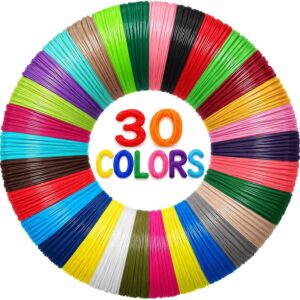
| Yungden 30-Colour PLA Refills | 30 (incl. 2 transparent, 4 fluorescent) | 3 m | 90 m | 180–210 °C |
| 3Dmate PLA Refill Kit | Standard, transparent, metallic, fluorescent | Not stated per colour | About 110 m | Not in our data |
SCRIB3D gives the longest lengths per colour of the three, which suits larger single-colour pieces. Yungden covers more shades, and the 3Dmate kit adds a silicone mat, stencils and finger guards.
Common questions
Do SCRIB3D refills fit pens from other brands?
SCRIB3D says they work with SCRIB3D, PIKA3D and MYNT3D pens and most pens that take 1.75 mm PLA. Check that your pen accepts 1.75 mm PLA and can heat within 160–210 °C. SCRIB3D says they don’t fit the 3Doodler Create+.
Will they work in a 3Doodler Start+?
No. The Start+ only takes 3Doodler’s low-temperature Start plastic, and 3Doodler says other filaments aren’t usable in it. These are standard 1.75 mm PLA for hot pens.
Can this filament go in a 3D printer?
It is 1.75 mm PLA, the same diameter most printers take, but the short loose lengths are packed for pens. For printing, a spool such as the SUNLU PLA Filament is the practical choice.
Why does the PLA bubble or crackle in the pen?
Usually the temperature is too high or the filament has picked up moisture. SCRIB3D suggests lowering the temperature by 5–10 °C first; if bubbles continue in an opened colour that has been left out, the filament has probably absorbed moisture.
How many colours do you get, and which ones?
Twenty. SCRIB3D’s own store describes its packs as a bright mix including blue, green, red, yellow, orange, pink, black, tan, brown and gold. Check the listing for the full set of twenty.
Ready to compare the pens these refills suit? See our 3D pens ranked by use.
Specifications as published by SCRIB3D on its official pages, checked November 2026. Where a figure isn’t published, we say so.