

The full guide to the MYNT3D Super
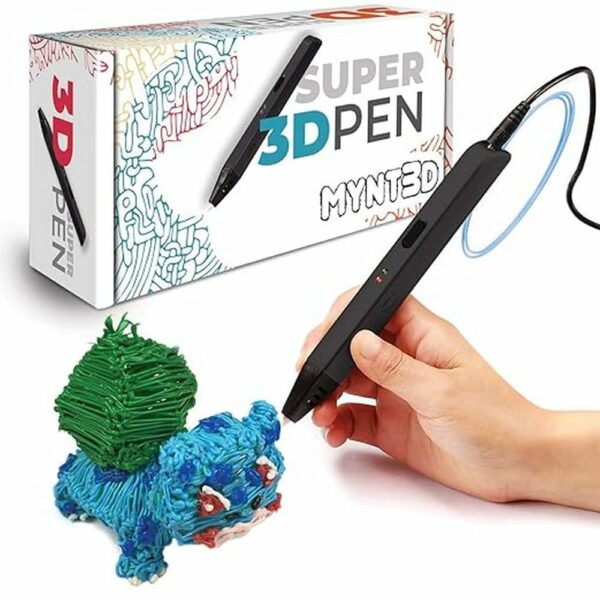
The MYNT3D Super is a slim, mains-powered 3D pen for 1.75 mm ABS and PLA, built around a stepless speed slider for fine control of the flow. It suits adults who draw often and want a light pen with a nozzle designed to resist clogging. The trade-off: there is no screen, so you set the temperature with a small screwdriver rather than reading it off a display.
Key specifications
| Age | Adult use only, according to MYNT3D’s user manual (its website says “all ages”) |
|---|---|
| Filaments | ABS and PLA, 1.75 mm |
| Temperature range | 140–230 °C, according to the user manual |
| Preset positions | 190 °C for PLA, 210 °C for ABS (manual); adjusted with the plastic screwdriver |
| Nozzle | 0.60 mm (manual); described on MYNT3D’s website as an ultrasonic sealed nozzle that is nearly clog-proof |
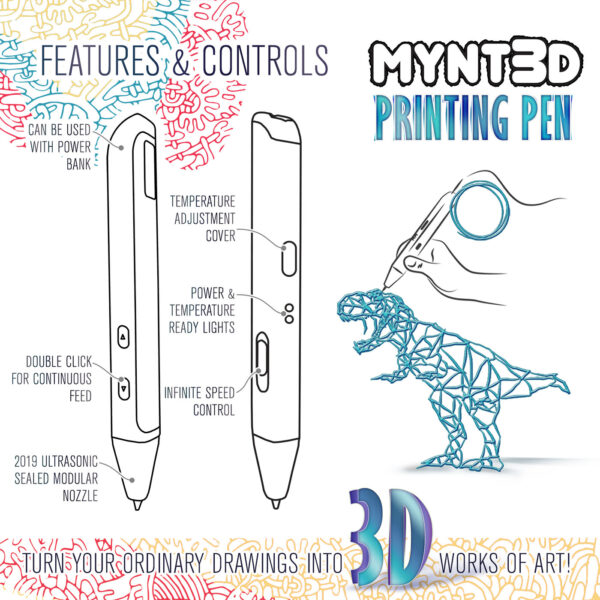
| Speed control | Stepless slider |
| Warm-up | About a minute, according to the manual |
| Power | AC adapter, 5 V DC 2 A input, 10 W; a power bank of at least 2 A also works (manual) |
| Battery | None built in |
| Size and weight | 175 × 20 × 17 mm, 40 g (manual) |
| Warranty | 1-year limited warranty from MYNT3D |
Who it suits — and who should pick something else
- Pick it if you are an adult who draws, repairs or models with a pen regularly and values a light, slim body: MYNT3D gives 40 g in its manual.
- Pick it if you want to control flow by feel. The slider changes speed without fixed steps, which helps on slow, detailed lines.
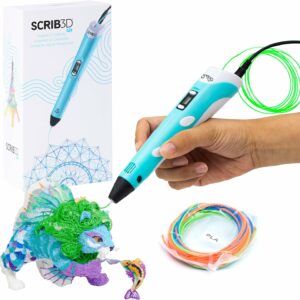
- Pick something else if you want to see the temperature. The SCRIB3D P1 with its temperature screen shows the set and actual heat.
- Pick something else for children. MYNT3D’s manual says adult use only and keep out of reach of children, even though its website markets the pen to all ages. We follow the manual.
What’s in the box
MYNT3D’s two official sources list slightly different contents. The user manual lists:
- 3D printing pen
- AC adapter and USB power cable
- Plastic screwdriver (for temperature adjustment and the service door)
- Phillips screwdriver (for nozzle replacement)
- Three rolls of ABS filament
MYNT3D’s website lists the pen, three colours of PLA filament, the A/C adapter and a screwdriver. Check the listing for which starter filament your kit includes.
How to use it
These steps follow MYNT3D’s user manual.
- Connect the AC adapter and USB power cable, then plug into the pen. The red light shows standby.
- Press the feed button once. The green light flashes while the pen heats, then stays on after about a minute.
- Straighten the filament end and push it into the loading hole until it stops. Hold or double-click the feed button to pull it in; sliding the speed control to the top makes this faster.
- Draw on a flat, heat-resistant surface. MYNT3D suggests glass with a thin layer of washable glue stick.
- To change colour, keep the pen hot, hold the withdraw button until the strand is free, then cut the new end straight before loading.
For technique, read how to use a 3D pen; for shapes to trace, try the free 3D pen templates.
Setting the temperature
The pen leaves the factory set for ABS, because the manual’s kit ships with ABS. To switch, lift the temperature screw cover and turn the screw with the plastic screwdriver: clockwise for hotter, anticlockwise for cooler. The manual marks positions for 190 °C (PLA) and 210 °C (ABS).
MYNT3D also advises running lower than filament makers suggest for 3D printers: above 190 °C for ABS, 190 °C or below for PLA. If PLA keeps oozing after you release the button, turn the heat down slightly.
Clogs, maintenance and fumes
- If the motor starts to struggle, stop, back the filament out and cut a fresh end. Partly withdrawn filament can deform in the barrel; withdraw it fully and cut the deformed part off.
- Filament quality varies and moisture damages ABS and PLA. Store strands sealed and dry, and try another roll if the pen behaves oddly.
- According to the manual, the nozzle is modular and can be replaced with the Phillips screwdriver; if a jam stays inside, the troubleshooting chart has you open the service door and remove the pieces.
- Switching from PLA to ABS can produce a little smoke as the nozzle heats up, says MYNT3D. ABS gives off fumes when heated, so work in a ventilated room; our page on drawing indoors with a 3D pen explains the precautions.
For refills, any good 1.75 mm ABS or PLA fits; the manual names no brand restriction. SCRIB3D lists MYNT3D among the pens its 20-colour PLA refills fit. Low-temperature strands for the 3Doodler Start won’t feed.
How it compares
- MYNT3D Super vs SCRIB3D P1: both take 1.75 mm PLA and ABS and run from an adapter or a 2 A power bank. The P1 adds a temperature screen and push-button adjustment; the Super is set with a screwdriver.
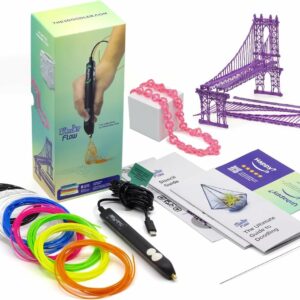
- MYNT3D Super vs 3Doodler Flow: the 3Doodler Flow shows live temperature on an LCD and is rated 14+ by 3Doodler. The Super publishes a wider range (140–230 °C against 160–220 °C) but has no display.
Common questions
What temperature does the MYNT3D Super reach?
MYNT3D’s user manual gives a range of 140–230 °C. The pen ships set to 210 °C for ABS, and the manual marks a 190 °C position for PLA. You adjust it with the plastic screwdriver under the temperature cover.
Can the MYNT3D Super use PLA?
Yes. It takes 1.75 mm PLA and ABS. Turn the temperature screw down to the PLA position first; the manual recommends 190 °C or below for PLA in a pen.
Does the MYNT3D Super have a battery?
No. It runs from the AC adapter. The manual says power banks with at least 2 A output also work, so you can draw away from a socket.
Is the MYNT3D Super suitable for children?
MYNT3D’s manual says adult use only and keep out of reach of children, because the ceramic tip gets extremely hot. Its website describes the pen as for all ages; we follow the stricter manual.
What should you do if the nozzle clogs?
Back the filament out and cut a new, straight end first. If it still won’t extrude, the manual’s chart has you remove the service door and nozzle to clear lodged pieces, or fit a replacement nozzle.
Specifications as published by MYNT3D on its official pages and user manual, checked November 2026. Where a figure isn’t published, we say so.