The full guide to the LIHUACHEN RPC200B
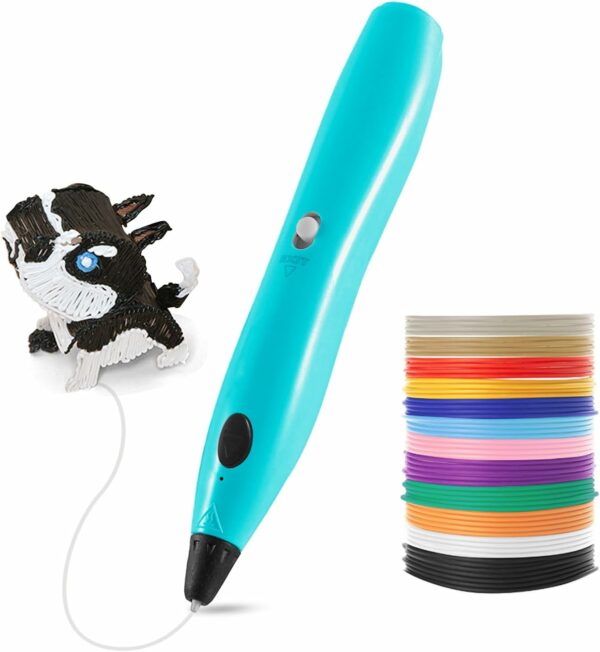
The LIHUACHEN RPC200B (button version) is a budget, corded 3D pen for 1.75 mm PLA that sets its own temperature and runs everything from a single button. LIHUACHEN sells it for ages 7 and over, with twelve colours of PLA, a finger guard and drawing templates in the box. The trade-off for that simplicity: PLA only, no temperature control, and a hot ceramic nozzle that younger children shouldn’t use alone.
Key specifications
| Age | 7 and over, according to LIHUACHEN |
|---|---|
| Filament | PLA, 1.75 mm |
| Temperature | 190–210 °C, set automatically |
| Controls | One button for heating, feeding, pausing and speed |
| Nozzle | Ceramic; nozzle size not published by the maker |
| Warm-up | About 60 seconds, according to LIHUACHEN |
| Power | Corded: plug in before use; no built-in battery |
| Auto sleep | Not published by the maker |
| Filament length per colour | Not published by the maker |
Who it suits — and who should pick something else
- Pick it as a first pen for a child of 7 or over, drawing with an adult beside them. One button and an automatic temperature leave little to get wrong.
- Pick it if you want plenty of colour to start with: twelve PLA colours come in the box.
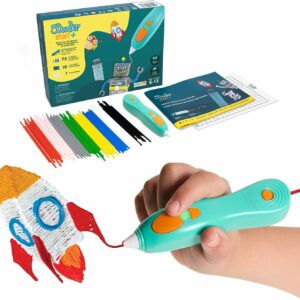
- Pick something else for a child of 6 to 13 who will often draw alone. The 3Doodler Start+ with no external hot parts is designed for that age.
- Pick something else if you want ABS, or want to tune the heat yourself. A pen with a temperature screen, such as the SCRIB3D P1, lets you adjust in small steps.
What’s in the box
- LIHUACHEN RPC200B 3D pen (button version)
- Twelve colours of 1.75 mm PLA filament
- Finger guard
- Drawing templates
LIHUACHEN doesn’t say how much filament comes with each colour, so expect to reorder once a favourite colour runs out.
Getting started
LIHUACHEN publishes the controls but not a full button sequence, so keep the leaflet that comes with the pen. The general order for a one-button PLA pen is:
- Lay out a heat-resistant surface, ideally a silicone mat. Fit the finger guard on the hand that holds the pen.
- Plug the pen in and use the button to start heating. LIHUACHEN gives about 60 seconds to reach temperature.
- Cut the end of a PLA strand straight and push it into the back of the pen until the feed grips it.
- Use the button to feed until plastic flows from the nozzle, then press the tip onto the template so the first line sticks.
- Draw slowly and steadily; pause with the button when you lift off.
- When you finish, unplug the pen and let the nozzle cool before putting it away.
The free 3D pen templates add more shapes to the ones in the box, and our guide on how to use a 3D pen covers anchoring, layering and joining parts.
Refills: which filament fits
The RPC200B takes 1.75 mm PLA only. LIHUACHEN’s listing doesn’t cover ABS or low-temperature plastics, and the temperature is fixed at 190–210 °C, so choose PLA refills whose published range overlaps it.
- Yungden’s 30-colour PLA refills: 3 m per colour, printing temperature 180–210 °C, according to Yungden.
- SCRIB3D PLA refills: 1.75 mm, 160–210 °C, sold for most pens that take 1.75 mm PLA.
- Kretrum 12-colour PLA refills: 1.75 mm, length per colour not published.
Don’t use strands made for the 3Doodler Start in this pen: they are a different, low-temperature plastic made for that pen. And don’t try ABS: LIHUACHEN doesn’t list it, and the fixed temperature is set for PLA.
Safety for younger children
LIHUACHEN’s age rating starts at 7, but the ceramic nozzle reaches PLA temperatures. Our advice for under-tens:
- An adult sits beside the child for every session, not just the first.
- Use the finger guard, and keep fingers away from the nozzle and freshly drawn plastic.
- Draw on a mat, not a wooden table or plastic tablecloth; hot filament sticks to wood and can melt a plastic tablecloth.
- Unplug the pen whenever you leave the table, and let it cool before storing.
- Draw in a room with fresh air.
Our guide to 3D pen safety for children sets out house rules by age.
How it compares
| Published figure | LIHUACHEN RPC200B | SCRIB3D P1 | 3Doodler Start+ |
|---|---|---|---|
| Age (maker) | 7+ | 14+ (page) / adults (manual) | 6 to 13 |
| Filament | 1.75 mm PLA | 1.75 mm PLA and ABS | Start eco-filament only |
| Temperature | 190–210 °C, automatic | Adjustable, shown on screen | Not published (low-heat) |
| Power | Corded | Adapter or 2 A power bank | Rechargeable battery |
| Starter filament | 12 PLA colours | 3 PLA colours, 30 ft in total | 72 strands |
See where each pen sits in our ranked list of 3D pens.
Common questions
What temperature does the LIHUACHEN RPC200B use?
It sets itself to 190–210 °C automatically, according to LIHUACHEN. There is no manual temperature control, which keeps it simple but means it is matched to PLA only.
Can the RPC200B use ABS filament?
LIHUACHEN lists PLA only, and the listing doesn’t cover ABS. Stick to 1.75 mm PLA refills whose temperature range overlaps 190–210 °C.
Is the RPC200B suitable for a 7-year-old?
LIHUACHEN sells it for ages 7 and over, and the finger guard helps. The ceramic nozzle still gets hot, so under-tens should always draw with an adult beside them.
Does the LIHUACHEN pen have a battery?
No. It is a corded pen: plug it in before use. If you need to draw away from a socket, look at a pen with a built-in battery instead.
How long does it take to heat up?
About 60 seconds, according to LIHUACHEN. Load the filament once the pen is up to temperature, so the strand melts cleanly instead of jamming.
Specifications as published by LIHUACHEN on its official product listing, checked November 2026. Where a figure isn’t published, we say so.