
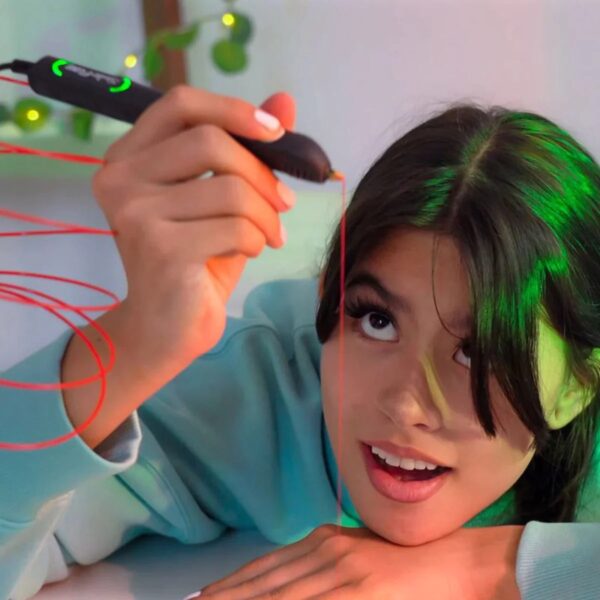
The full guide to the 3Doodler Flow
The 3Doodler Flow is a corded 3D pen for 1.75 mm filament from the brand behind the original 3D pen, with an LCD that shows the live nozzle temperature and colour-coded lights for PLA and ABS. 3Doodler rates it for ages 14 and up, so it suits teenagers and adults who want a guided, well-documented pen. The trade-off: 3Doodler’s own documents are cautious about third-party filament, so generic refills come with a warranty question.
Key specifications
| Age | 14+, according to 3Doodler’s user manual and UK product page |
|---|---|
| Filaments | 1.75 mm PLA and ABS; 3Doodler’s UK page also names wood filament |
| Temperature range | 160–220 °C, adjustable to the degree within each setting, according to 3Doodler’s support pages |
| Material settings | PLA (green light) and ABS (blue light) |
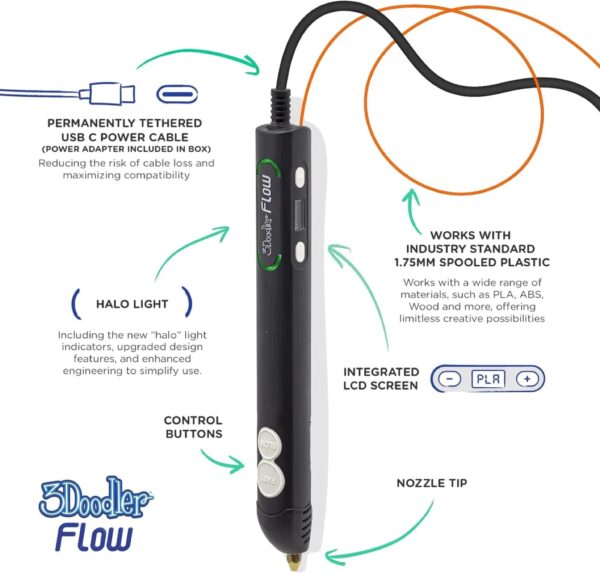
| Display | LCD with target and current temperature |
| Warm-up | 60–90 seconds, according to the manual |
| Controls | Fast and slow speed buttons; click to start or stop, double-click to reverse, hold to drive manually |
| Auto power-down | Heating switches off after 5 minutes of inactivity |
| Power | Mains adapter (5 V DC output) with a USB-C cord; no battery |
Who it suits — and who should pick something else
- Pick it if you are 14 or over and want clear feedback: the lights tell you which material is set, and the screen shows when the nozzle is up to temperature.
- Pick it if you want to try PLA, ABS and wood filament from one pen, with 3Doodler’s step-by-step support pages behind you.
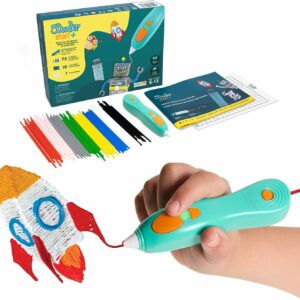
- Pick something else for a child under 14. 3Doodler’s own pen for ages 6 to 13 is the 3Doodler Start+ with low-temperature plastic.
- Pick something else if you only ever draw in PLA and want the lowest running cost: the material range goes unused, and a pen that welcomes any 1.75 mm PLA may suit you better.
What’s in the box
According to 3Doodler’s UK product page:
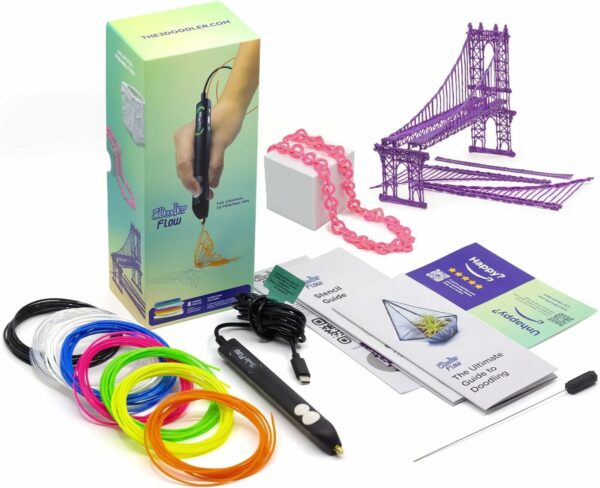
- 3Doodler Flow pen
- Eight 3Doodler 1.75 mm PLA filament spools (short starter lengths)
- Power adapter
- Maintenance tool (unblocking tool and mini spanner)
- Guide book and stencil sheet
- Instruction manual
How to use it
These steps follow the Flow user manual (Gen 2 version).
- Plug the power cord into the adapter and the adapter into the wall.
- Use the + or – button to choose PLA or ABS, then click the fast button to lock it in. The starter spools are PLA.
- Wait 60–90 seconds for both lights to turn solid green (PLA) or blue (ABS).
- Click the fast button once, then push a spool into the loading port until the gears grab it. Filament appears after 10–15 seconds.
- Press the nozzle onto the paper so the first line anchors, then draw slowly with the pen close to upright. Click either speed button to stop.
- To change colour, double-click a speed button to reverse, then pull the spool out gently once it stops. Snip off the melted end flat.
- Unplug and let the pen cool completely before storing.
Our guide to your first hour with a 3D pen covers technique, and the free 3D pen templates give you shapes to trace.
Which filament fits, and at what temperature
3Doodler’s sources say slightly different things, so here is each one:
- The user manual says the Flow should only be used with 3Doodler Flow filament, and that non-approved materials void the warranty.
- The support FAQ says you can use Flow refills or any brand of 1.75 mm spooled filament that melts within the Flow’s 160–220 °C range, while noting 3Doodler can’t guarantee third-party filament.
- The UK shop page labels it “Flow refills/accessories only” but also says it supports 1.75 mm filaments such as PLA, ABS and wood.
In short, standard 1.75 mm PLA such as Yungden’s 30-colour PLA refills (180–210 °C) physically fits and sits within the range, but 3Doodler’s own refills keep the warranty intact. Low-temperature Start strands don’t fit. Wood filament is more abrasive and clog-prone than plain PLA; clean the nozzle after using it.
The default temperatures are set for 3Doodler’s own spools, so you only need the + and – buttons for other brands. A slight crackle while extruding is moisture escaping from the strand, says 3Doodler.
Safety, care and clogs
- The nozzle gets hot enough to burn, and so does the metal part of the unblocking tool after use. Keep both away from flammable materials.
- The manual warns that ABS releases styrene and asks you to always work in a well-ventilated area. Our page on 3D pen fumes indoors explains why.
- 3Doodler recommends a 30-minute break after every 2 hours of continuous use.
- Only remove or tighten the nozzle while the pen is hot and the light is green or blue, and never over-tighten it.
- If filament is too short to reverse, set the pen to reverse, unscrew the hot nozzle with the tool and push the strand out of the back.
- The pen won’t run from smart, multi-wattage USB-C adapters or computer ports, according to 3Doodler.
How it compares
| Published figure | 3Doodler Flow | SCRIB3D P1 |
|---|---|---|
| Age (maker) | 14+ | 14+ (page) / adults (manual) |
| Filaments | 1.75 mm PLA, ABS, wood | 1.75 mm PLA, ABS |
| Temperature | 160–220 °C, shown on LCD | PLA 160–210 °C, ABS up to 230–235 °C, shown on LCD |
| Power | Mains adapter only | Adapter or 2 A power bank |
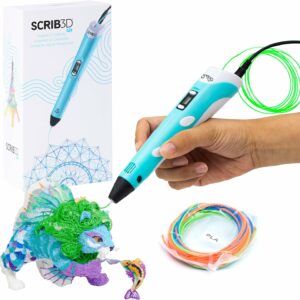
The SCRIB3D P1 is the closest alternative; it can also run from a power bank.
Common questions
What temperature does the 3Doodler Flow go up to?
3Doodler’s support pages give a range of 160–220 °C. You pick PLA or ABS first, then the + and – buttons adjust the temperature to the degree within that setting.
Can the 3Doodler Flow use normal 1.75 mm filament?
It accepts 1.75 mm spooled filament, and 3Doodler’s FAQ says other brands that melt within 160–220 °C can work. The user manual, however, says to use only 3Doodler Flow filament and that non-approved materials void the warranty.
What age is the 3Doodler Flow for?
14 and over. The manual says ages 14+ and keep out of reach of children. For ages 6 to 13, 3Doodler makes the Start+.
Does the 3Doodler Flow have a battery?
No. It runs from the mains adapter through a USB-C cord. 3Doodler says it won’t work from smart USB-C adapters or computer ports.
Why did the Flow stop heating?
After 5 minutes of inactivity, the heating switches off automatically. Press either speed button, or unplug and plug it back in, to continue.
Specifications as published by 3Doodler on its official pages, checked November 2026. Where a figure isn’t published, we say so.