
The best 3D printers for beginners, ranked
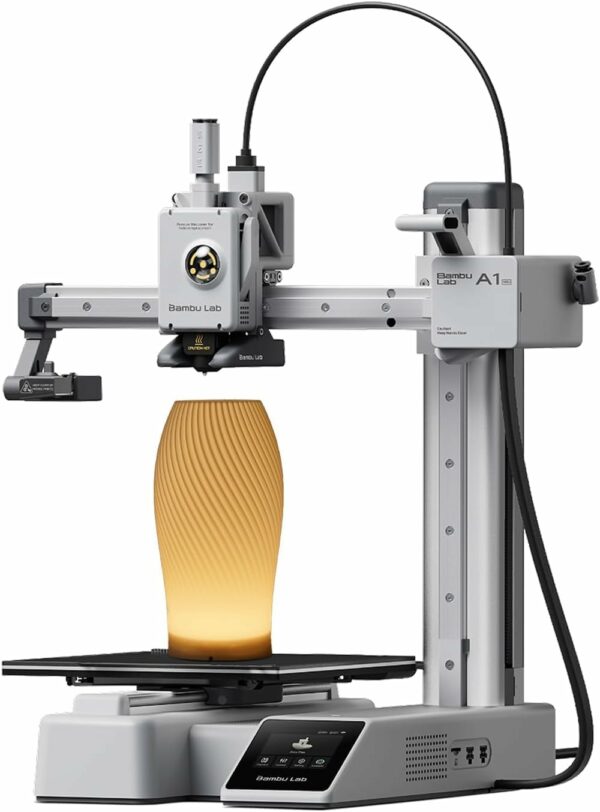
Bambu Lab A1 mini
Bambu Lab
Key highlights
- Calibrates itself, so there is no manual levelling to learn
- Up to 500 mm/s, with a nozzle up to 300 °C and a bed up to 80 °C
- Takes the optional AMS lite for up to four colours
- This bundle adds an LED lamp kit
Full specs, strengths and watch-outs
- TypeOpen frame, moving bed
- Build volume180 × 180 × 180 mm
- SpeedUp to 500 mm/s
- Nozzle / bed300 °C / 80 °C
- Nozzle0.4 mm stainless steel; 0.2, 0.6 and 0.8 mm available
- CalibrationAutomatic
- MulticolourUp to 4 colours with the optional AMS lite
- Removes the setup jobs that put beginners off
- Fast for its size
- Room to grow into colour
- Smallest bed in this list
- Open frame: not for ABS or ASA
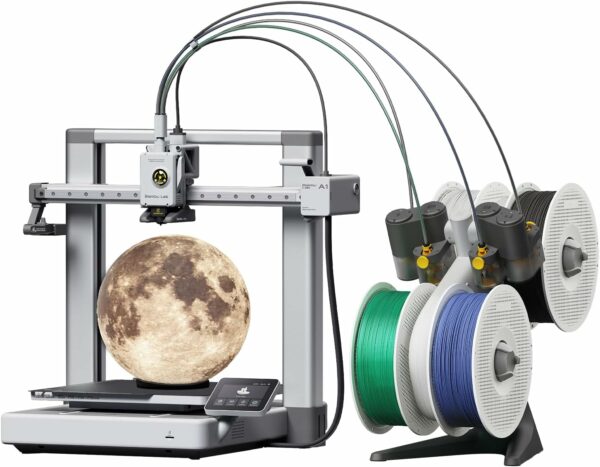
Bambu Lab A1 Combo
Bambu Lab
Key highlights
- The AMS lite feeder is in the box: up to four colours in one print
- 256 × 256 × 256 mm build volume
- Automatic Z-offset, bed levelling, vibration compensation and flow calibration
- Active motor noise cancelling, according to Bambu Lab
Full specs, strengths and watch-outs
- TypeOpen frame, moving bed
- Build volume256 × 256 × 256 mm
- SpeedUp to 500 mm/s
- Nozzle / bed300 °C / 100 °C
- CalibrationAutomatic, including flow
- MulticolourAMS lite included, up to 4 colours
- The easiest way into colour
- Full-size bed
- Every colour change purges filament and adds time
- Open frame
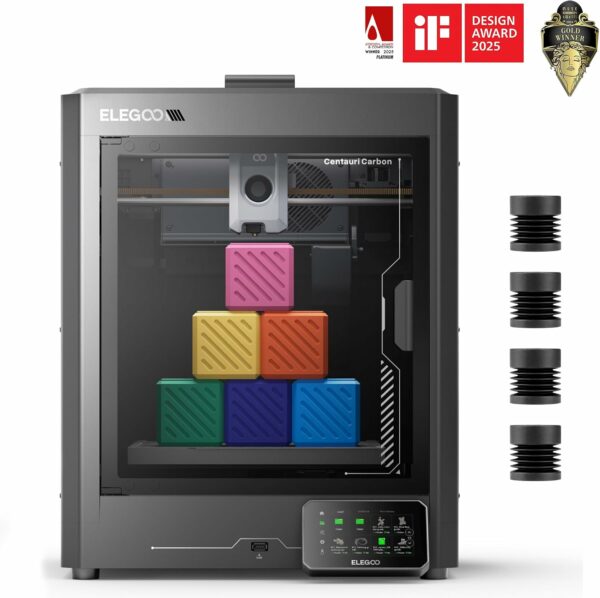
Elegoo Centauri Carbon
Elegoo
Key highlights
- Enclosure and hardened steel nozzle (up to 320 °C) for tougher materials
- Prints PLA, PETG, ABS, ASA, TPU and carbon- or glass-fibre filaments, according to Elegoo
- Arrives assembled and pre-calibrated
- Built-in chamber camera for checking prints remotely
Full specs, strengths and watch-outs
- TypeEnclosed CoreXY, die-cast aluminium frame
- Build volume256 × 256 × 256 mm
- SpeedUp to 500 mm/s
- NozzleHardened steel, up to 320 °C
- CameraBuilt in
- Weight17.5 kg
- Opens up the materials an open frame struggles with
- Little to set up
- One colour at a time
- Heavy, at 17.5 kg
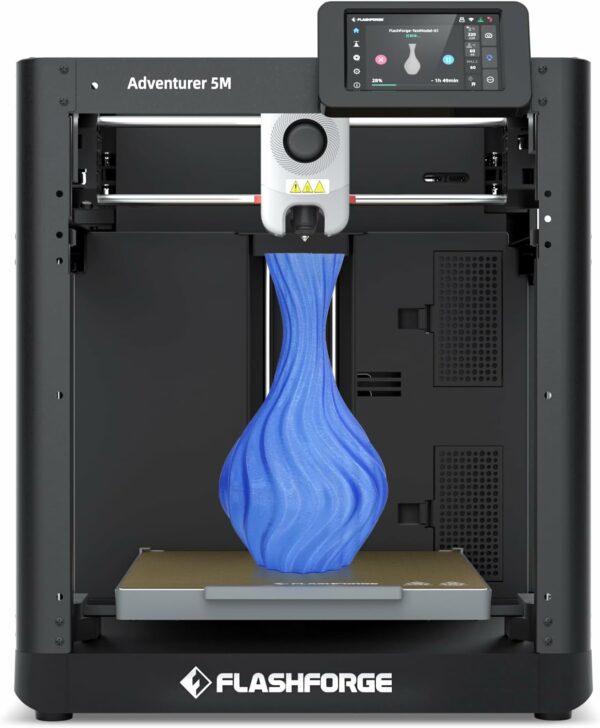
Flashforge Adventurer 5M
Flashforge
Key highlights
- About 10 minutes from box to first print, according to Flashforge
- Highest top speed in this list, at 600 mm/s
- Quick-release nozzle swaps in about 3 seconds
- Magnetic PEI build plate
Full specs, strengths and watch-outs
- TypeOpen CoreXY, all-metal frame
- Build volume220 × 220 × 220 mm
- SpeedUp to 600 mm/s
- NozzleUp to 280 °C, quick-release
- LevellingOne-click automatic
- MaterialsPLA, PETG, TPU
- Fast to unbox and fast to print
- Easy nozzle swaps
- No enclosure
- One colour at a time
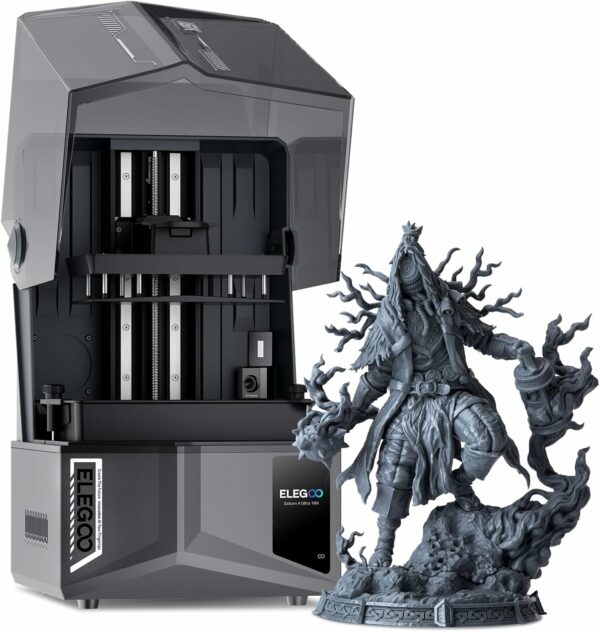
Elegoo Saturn 4 Ultra 16K
Elegoo
Key highlights
- 10-inch 16K screen at 14 × 19 µm per pixel: the finest detail in this list
- Heated vat that warms the resin to 30 °C before printing, according to Elegoo
- AI camera that flags prints that come loose
- 211.7 × 118.4 × 220 mm build volume
Full specs, strengths and watch-outs
- TypeMSLA resin
- Screen10-inch 16K mono, 14 × 19 µm
- Build volume211.7 × 118.4 × 220 mm
- SpeedUp to 150 mm/h, according to Elegoo
- Resin vatHeated, warms resin to 30 °C
- MonitoringAI camera
- Detail filament can't match
- Watches its own prints
- Resin needs gloves, ventilation and a wash-and-cure step
- Wash-and-cure station sold separately
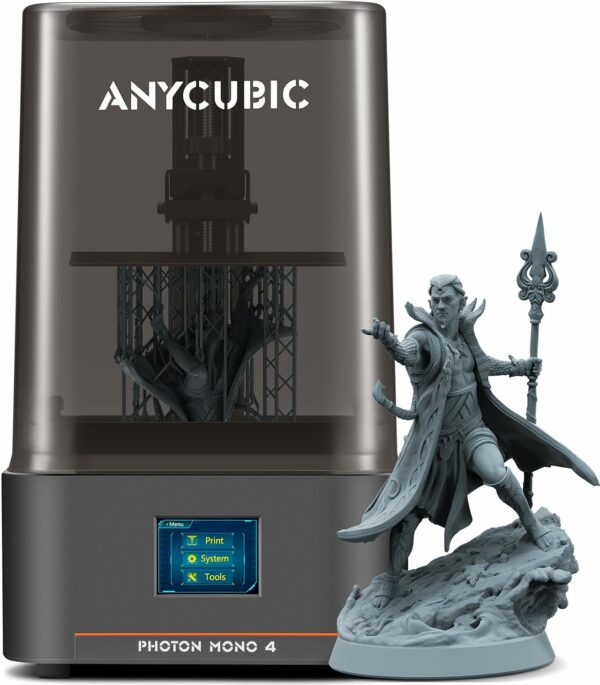
Anycubic Photon Mono 4
Anycubic
Key highlights
- 7-inch 10K screen with 17 × 17 µm pixels
- 153.4 × 87 × 165 mm build volume, sized for miniatures and jewellery
- Four-point levelling, needed once, according to Anycubic
- Resumes after a power cut
Full specs, strengths and watch-outs
- TypeMSLA resin
- Screen7-inch 10K mono, 17 × 17 µm
- Build volume153.4 × 87 × 165 mm
- Levelling4-point manual, needed once
- Light sourceLighTurbo matrix
- Compact way into resin
- Fine 17 µm pixels
- Small platform
- The same resin safety routine as any resin printer
Compare them side by side
The figures each maker publishes, in one table. Where a maker doesn’t publish a figure, the table says so.
| Printer | Best for | Type | Build volume | Top speed | Calibration |
|---|---|---|---|---|---|
| Bambu Lab A1 mini | First printer | Open frame, moving bed | 180 × 180 × 180 mm | 500 mm/s | Automatic |
| Bambu Lab A1 Combo | Multicolour | Open frame, moving bed, AMS lite | 256 × 256 × 256 mm | 500 mm/s | Automatic, including flow |
| Elegoo Centauri Carbon | Tougher materials | Enclosed CoreXY | 256 × 256 × 256 mm | 500 mm/s | Automatic levelling |
| Flashforge Adventurer 5M | Quick setup | Open CoreXY | 220 × 220 × 220 mm | 600 mm/s | One-click automatic |
| Elegoo Saturn 4 Ultra 16K | Resin detail | MSLA resin | 211.7 × 118.4 × 220 mm | 150 mm/h | Automatic levelling |
| Anycubic Photon Mono 4 | First resin printer | MSLA resin | 153.4 × 87 × 165 mm | Not published | 4-point manual, once |
Filament or resin?
Filament printers (FDM) melt plastic and lay it down layer by layer: they are cleaner, cheaper to run and better for functional parts. Resin printers (MSLA) cure liquid resin with light: far finer detail, but they need gloves, ventilation and a wash-and-cure step. Most first-time buyers should start with filament; our comparison of filament and resin printers goes further.
Which one should you buy?
- First printer, not sure what you’ll make? The Bambu Lab A1 mini.
- Want colour? The Bambu Lab A1 Combo.
- Need ABS, ASA or carbon fibre? The Elegoo Centauri Carbon.
- Want speed with no setup? The Flashforge Adventurer 5M.
- Printing miniatures? The Elegoo Saturn 4 Ultra 16K, or the Anycubic Photon Mono 4 for a smaller start.
How to choose a 3D printer
Our guide to choosing your first 3D printer goes through each of these in detail.
- Setup and calibration decide whether a first printer gets used: all the filament printers here level themselves.
- Bed size against what you want to make: 180 mm on the A1 mini, 256 mm on the A1 and the Centauri Carbon. More in A1 mini or A1.
- Open frame or enclosure, which depends on the materials and on where the printer will live; see whether 3D printing is safe at home.
- The mistakes buyers make, in order, are in 3D printer buying mistakes to avoid.
What to buy with it
- Filament. SUNLU PLA for first prints, SUNLU PETG for tougher parts and SUNLU TPU 95A when a part has to flex. All in Printer Filament & Resin.
- A filament dryer. Damp filament strings and pops: the SUNLU FilaDryer S2 dries one spool at up to 70 °C and can feed the printer while it works.
- Tools. The Creality 3D Printer Tool Kit Pro covers print removal, finishing and nozzle cleaning.
- For resin. A wash-and-cure station such as the Elegoo Mercury Plus V3.0 (sized for the Saturn 4 Ultra 16K) or the Anycubic Wash & Cure 3 (for 7.3-inch printers such as the Photon Mono 4). More in Accessories & Tools.
How we picked
This ranking is built from the specifications each manufacturer publishes: build volume, speed, nozzle and bed temperatures, calibration, and what you have to do before the first print. We haven’t lab-tested these printers ourselves, and we say so rather than imply otherwise, which is also why there are no scores out of ten here. Every button links to the brand’s official store on Amazon UK.
Prices move constantly on Amazon, so we don’t print them: every button goes straight to the current listing.
Common questions
Which 3D printer is best for a beginner?
The Bambu Lab A1 mini: it arrives ready to use and calibrates itself, which removes the jobs that put most beginners off. If you already know you want bigger parts or several colours, the Bambu Lab A1 Combo does the same on a 256 mm bed with the AMS lite feeder in the box.
Should my first 3D printer be filament or resin?
Filament for most people: it is cleaner, needs no protective gear and suits functional parts. Resin wins on fine detail for miniatures, but every print needs gloves, ventilation and a wash-and-cure step.
Do I need an enclosed 3D printer?
Not for PLA, PETG or TPU, which the open-frame printers here handle. An enclosure such as the one on the Elegoo Centauri Carbon matters for ABS and ASA, which are prone to warping as they cool.
Is multicolour printing worth it for a beginner?
Only if colour is the point of what you want to make, such as signs, labels or toys. Every colour change purges filament and adds time, so single-colour printing is cheaper and faster.