
The best 3D printed Father’s Day gifts are the ones he’ll reach for every day: a keyring with his name, clips that keep charging cables on the desk, a stand for his phone or tablet, a rack for his tools. Below, eight of them are grouped by print time, with the filament each needs and a simple way to add his name. Father’s Day falls on the third Sunday of June in the UK and the US, so start a few weekends early and leave room for a second attempt.
Want files ready to print? Download our free Father’s Day STL files: a DAD sign, a desk tidy, No.1 DAD keyrings, a medal and a key-hook plaque.
How long does each gift take to print?
Under two hours for the small ones, an afternoon for stands and racks, and overnight or a weekend for the big projects. These bands are our planning guide for one copy in one colour at default settings, not measured times. After slicing, Bambu Studio’s preview shows the print time by layer and by type of line, so check the real figure before you commit.
| Gift | Print time | Filament | How to add his name |
|---|---|---|---|
| 1. Personalised keyring | Under two hours | PETG | Raised letters in a second colour |
| 2. Desk cable clips | Under two hours | PLA | Not needed: print a set in his favourite colour |
| 3. Screwdriver bit holder | Under two hours | PETG | Initials engraved on the side |
| 4. Phone stand | An afternoon | PLA | Name engraved on the front |
| 5. Desk cable organiser | An afternoon | PLA | Name raised on the top |
| 6. Wall-mounted tool rack | An afternoon | PETG | Initials engraved on the front |
| 7. Tablet stand | Overnight | PLA | Name in a second colour |
| 8. Toolbox drawer organiser | A weekend, in batches | PETG or PLA | A label on each bin |
The filament rule is simple: where will the gift live? On a desk indoors, PLA is fine, and it’s the usual first filament for any printer. In a pocket, a shed, a garage or a car, use PETG. Prusa describes PLA as brittle, breaking along its layers or into shards on impact, and recommends PETG for mechanical parts such as holders and clamps. Heat matters too: SUNLU gives its PLA a heat deflection temperature of 55 ± 5 °C and its PETG 70 ± 5 °C.
Father’s Day print ideas, from quick to ambitious
Easy: under two hours
1. Personalised keyring. A flat tag with his name or initials and a thick ring hole. PETG copes with a pocket of keys better than PLA. You need PETG in two colours and a split ring; steps below.
2. Desk cable clips. Small clips for the edge of the desk or bedside table that hold charging cables within reach. Measure the cable first, search for clips made for that thickness and print a set in PLA. Some designs need adhesive pads.
3. Screwdriver bit holder. A small block with hexagonal holes that keeps loose bits in order on the bench. Print it in PETG and pick a model whose makes show bits sitting snugly, or they’ll fall out.
Intermediate: an afternoon
4. Phone stand with his name. An angled stand that holds his phone upright for video calls or the football. PLA is fine indoors. Choose one with a cable slot so the phone charges while it stands. Steps below.
5. Desk cable organiser. A solid block with slots that parks several charging cables in one place, so they stop disappearing behind the desk. Print it in PLA with his name raised on top; stick-on rubber feet stop it sliding.
6. Wall-mounted tool rack. A rack for pliers, screwdrivers or spanners, screwed to the shed or garage wall. Use PETG and measure his tools first. A rack carries weight, so pick a design other people have loaded with real tools. Steps below.
Ambitious: overnight or over a weekend
7. Tablet stand. A larger, sturdier stand for his tablet. Check the footprint first: the A1 mini’s bed takes up to 180 × 180 mm and the A1 Combo’s 256 × 256 mm, so a wide stand may need the bigger printer or a design in parts. PLA, with his name in a second colour.
8. Toolbox drawer organiser. Modular bins that sit on a base grid, giving every tool in a drawer its own place. It’s many small prints, so print the base and a few bins for the day and add more later. PETG for a garage toolbox, PLA for a desk drawer.
For more practical prints that aren’t gifts, our list of useful things to print around the house sorts them by room.
What you need
A printer that’s set up and calibrated
Every idea here prints on a compact open-frame printer in PLA or PETG. If you haven’t chosen one yet, start with our ranked list of 3D printers. If it has only just arrived, run through your first print from the box before you start on presents.
The Bambu Lab A1 mini arrives assembled, calibrates itself and has a 180 × 180 × 180 mm build volume, enough for the keyring, clips, bit holder and phone stand. It prints one colour as standard, but Bambu Studio’s multi-colour printing with an external spool pauses at each colour change so you can swap filament and carry on. Bambu Lab lists the A1 mini as supported, provided its firmware and Bambu Studio are recent enough.
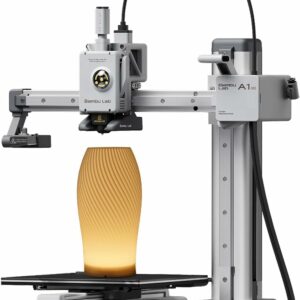
Room for every quick gift here, from the keyring to the phone stand, and nothing to build, so your weekends go on presents. Swap filament by hand at the pause for a two-colour name.
The Bambu Lab A1 Combo pairs the 256 × 256 × 256 mm A1 with the AMS lite, which feeds up to four colours in one print without you standing by. It suits the tablet stand, longer tool racks and names in contrasting colours. Each colour change purges some filament, but with raised letters the change happens once, at the layer where the name starts, so a two-colour keyring costs little extra.
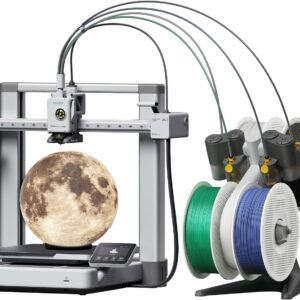
A 256 mm bed for tablet stands and drawer sets, and the AMS lite included for names in up to four colours without swapping filament by hand.
Filament and small parts
A spool of SUNLU PLA Filament covers the desk gifts and a spool of SUNLU PETG Filament the workshop ones. For PETG, use your printer’s PETG profile or SUNLU’s published 240–260 °C nozzle range, and check your printer maker’s advice on build plates first, because PETG can bond very hard to smooth PEI. Keep the second colour in the same material as the first.
A model, its licence and his name
Most of these designs already exist in the free libraries. Our guide to finding free 3D models compares MakerWorld, Printables and Thingiverse, shows how to judge a file before you print it and explains what each licence allows. Respect each model’s licence: a non-commercial (NC) licence still covers a present for your dad, but to add his name you need one without NoDerivatives (ND), which rules out adaptations.
To add the name, Bambu Studio’s Text Shape tool places 3D text on a flat or curved surface. Set it to Part for raised letters, to Cut to engrave them into the model, or to Modifier for flush lettering in another colour. To build the whole gift yourself instead, start with designing a keyring in Tinkercad.
Step outlines for three gifts
Two-colour personalised keyring
- Download a keyring blank whose licence allows changes, or design your own.
- Open it in Bambu Studio and add his name with the Text Shape tool, set to Part, so the letters stand proud of the tag.
- Assign the letters a second filament colour.
- Slice with your PETG profile and read the print time in the preview.
- On an A1 mini without an AMS, tick the option for multi-colour printing with an external spool before the print starts, then swap the filament when prompted and press Continue. On the A1 Combo, load both colours into the AMS lite.
- Let the plate cool, remove the tag and fit the split ring.
Phone stand with an engraved name
- Choose a stand with a cable slot whose makes show a phone of similar size standing securely.
- Open it in Bambu Studio and add his name to the front face with the Text Shape tool, set to Cut, so the letters are engraved.
- Make the text large and bold so the letters stay crisp.
- Slice in PLA and step through the layers around the lettering in the preview.
- Print, let the plate cool, then remove the stand.
- Test it with your own phone and a charging cable before you wrap it.
Wall-mounted tool rack in PETG
- Lay out the tools he uses most and measure their handles.
- Choose a rack whose makes show it loaded with real tools.
- Check that its screw holes suit the screws you plan to give with it.
- Slice with your printer’s PETG profile, in the orientation the designer recommends.
- Print it, and remove it only once the plate has cooled.
- Wrap it with the right wall plugs and screws for his wall, so he can put it up himself.
Common questions
Can I sell 3D printed Father's Day gifts made from free models?
Only if the model’s licence allows commercial use. A Creative Commons licence marked NC permits non-commercial use only, which rules out selling prints. Giving a print to your own dad isn’t commercial, so an NC licence doesn’t stop that.
Is PLA strong enough for a keyring?
It can work, but Prusa describes PLA as brittle and says it breaks along its layers or into shards on impact, which is what a keyring meets in a pocket. PETG is tougher, so it’s the better choice for anything that gets knocked about.
Can I 3D print a pint glass or barbecue tool for him?
Not for anything that touches food or drink. Prusa doesn’t recommend PLA or any other filament for dishes or food contact, because the grooves between layers can harbour bacteria, and SUNLU gives its PLA a heat deflection temperature of 55 ± 5 °C. Print a phone stand for his recipes instead.
Will a printed phone holder survive in the car?
Not in PLA: SUNLU gives its PLA a heat deflection temperature of 55 ± 5 °C, so it isn’t for parts left in a hot car. SUNLU rates its PETG at 70 ± 5 °C, so print the holder in PETG and keep it out of direct sun where you can.
Sources
- PLA material guide — Prusa Knowledge Base
- PETG material guide — Prusa Knowledge Base
- Text Shape — Bambu Lab Wiki
- View slicing information — Bambu Lab Wiki
- Multi-colour printing with external spool — Bambu Lab Wiki
- Sharing Openly, Sharing Globally (CC licences) — Creative Commons