

On a 3D printer, PLA runs at about 190–230 °C on a bed of up to 60 °C, PETG at 220–260 °C, ABS and ASA at 230–260 °C with a 90–110 °C bed and an enclosure, and TPU at 210–230 °C. On a 3D pen, PLA runs cooler: 160–210 °C on the SCRIB3D P1. Your spool’s label decides.
Below are two charts: one for printer filament and one for 3D pens. Every row names the maker that published the figure, so you can check it for yourself. After the charts you’ll find why brands disagree, where to start on a new spool, and how to fine-tune from there.
Filament temperature chart for 3D printers
These are the ranges filament makers publish. Where two makers publish different figures for the same plastic, both are shown, because the gap is the point: no single number fits every brand.
| Material | Nozzle | Bed | Enclosure | Source |
|---|---|---|---|---|
| PLA | 190–230 °C | 25–60 °C | Not needed | Polymaker, PolyLite PLA data sheet |
| PLA | 200–210 °C at 50–100 mm/s; 210–240 °C at 100–200 mm/s | 50–60 °C | Not stated | SUNLU, PLA product page |
| PETG | 220–260 °C (230–240 °C optimal) | 65–90 °C | Not stated | Polymaker wiki, generic tips |
| ABS | 230–260 °C | 100–110 °C | Mandatory | Polymaker wiki, generic tips |
| ABS | 255 °C | 100 °C (80–110 °C) | Yes, with a warmer ambient temperature | Prusa Knowledge Base |
| ASA | 240–260 °C | 90–110 °C | Required | Polymaker wiki, generic tips |
| TPU | 210–230 °C | 40–60 °C | Not stated | Polymaker wiki, generic tips |
| Nylon (PA) | 240–280 °C | Room temperature to 100 °C | Needed for some brands, not Polymaker’s | Polymaker wiki, generic tips |
The rows marked “generic tips” come from a Polymaker page that covers each plastic in general, not one Polymaker product. The SUNLU and PolyLite rows are for specific spools. Our own SUNLU spools follow the same pattern: SUNLU gives 240–260 °C nozzle and 60–70 °C bed for its PETG, and 190–210 °C at 50–80 mm/s for its TPU 95A, rising to 210–230 °C at 80–120 mm/s. You’ll find all three in our printer filament and resin range.
For a first spool, PLA is the plastic that asks least of your printer: no enclosure, a modest bed and a nozzle range every filament printer we list can reach. Our PLA settings and storage guide goes further into it.
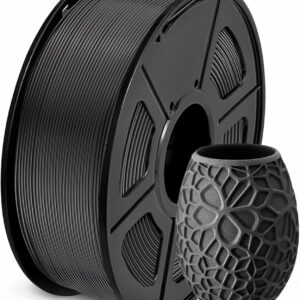
SUNLU publishes its PLA settings by print speed, which makes it easy to match the nozzle temperature to how fast your printer runs.
3D pen temperature chart
3D pens publish their own ranges, and they sit lower than printer ranges for the same plastic. Set the pen within its maker’s range, not the range on a printer spool.
| Material | Pen or refill | Published range | Source |
|---|---|---|---|
| PLA | SCRIB3D P1 | 160–210 °C | SCRIB3D P1 user manual |
| ABS | SCRIB3D P1 | 200–230 °C | SCRIB3D P1 user manual |
| PLA and ABS | 3Doodler Flow | 160–220 °C, adjustable after choosing PLA or ABS | 3Doodler FAQs |
| PLA | LIHUACHEN RPC200B 3D Pen (Button Version) | 190–210 °C, set automatically | LIHUACHEN product listing |
| PLA refill | SCRIB3D PLA Refills | 160–210 °C | SCRIB3D product listing |
| PLA refill | Yungden 30-Colour PLA Refills | 180–210 °C | Yungden product listing |
One discrepancy to know about: the SCRIB3D P1 manual gives 200–230 °C for ABS, while SCRIB3D’s Amazon listing gives 210–235 °C. Both agree on 160–210 °C for PLA. If you’re still choosing between the two plastics, our PLA and ABS pen comparison covers that decision.
Low-temperature pens are missing from the chart for a reason. 3Doodler says its Start+ plastic was made for drawing at lower temperatures, but it doesn’t publish a figure, and these pens take only their own strands. For what each pen plastic is and which pens take it, see our guide to 3D pen filament types.
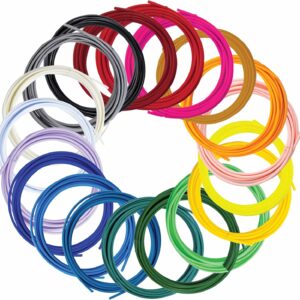
SCRIB3D’s own refills list 160–210 °C, the same PLA range as its P1 pen, and each colour comes vacuum packed.
Pens that take 1.75 mm PLA can use most of our 3D pen filament refills; low-temperature pens such as the 3Doodler Start+ need refills made for them.
Why do temperature ranges differ between brands?
Ranges differ because each maker’s plastic, test conditions and speed assumptions differ. PLA from Polymaker and PLA from SUNLU are both PLA, but each blend melts and flows slightly differently, and each maker tunes its advice to its own spool.
Print speed changes the number
SUNLU’s PLA page shows this clearly: 200–210 °C at 50–100 mm/s, but 210–240 °C at 100–200 mm/s. The faster plastic moves through the nozzle, the more heat it needs to melt in time. A fast printer and a slow one can both be right with different settings on the same spool.
Nozzle and print size matter too
Polymaker states that its PolyLite PLA settings are based on a 0.4 mm nozzle, so a larger nozzle may need adjusting. For ABS, Prusa recommends a 100 °C bed but allows 80–110 °C, with larger prints needing the warmer end.
Pens and printers are different machines
Pen makers set their ranges for their own pens. That’s why the SCRIB3D P1 lists 160–210 °C for PLA while printer spools start around 190–200 °C. Follow the pen’s range in the pen, and the spool’s range in the printer.
Where should you start on a new spool?
Start in the middle of the range printed on your spool, then adjust in small steps. A mid-range start leaves room to move either way, while starting at an edge leaves you guessing which way the problem lies.
A simple rule we’d follow: take the maker’s range, start at its midpoint, and change by 5 °C at a time. On a 210–240 °C range, that means starting at 225 °C. If the maker gives a range per speed, as SUNLU does, use the band that matches your print speed.
How do you find the right temperature for your spool?
Read the label first, then confirm with a short test. Three steps, in this order:
- Check the spool and the data sheet. The label on the box or spool gives the maker’s range. The data sheet on the maker’s website often adds the bed temperature, fan setting and drying advice.
- Print a temperature tower. Polymaker recommends test prints such as temperature towers to find the best result. A temperature tower is a small model printed in sections, each at a different temperature, so you can compare surface, stringing and layer bonding side by side and keep the best section’s setting.
- On a pen, read the plastic as it comes out. The SCRIB3D P1 manual gives clear signs. Bubbling or a crackling sound means the temperature may be too high: lower it by 5–10 °C. A dim, dark colour and a struggling motor mean it’s too low: raise it by 5–10 °C. Heavy oozing also calls for a slightly lower setting.
Which printers and pens take each material?
Check two figures on your printer: maximum nozzle temperature and maximum bed temperature. Then check whether it has an enclosure.
- PLA, PETG and TPU suit every filament printer we list. The Bambu Lab A1 mini (300 °C nozzle, 80 °C bed), the Bambu Lab A1 Combo (300 °C nozzle, 100 °C bed) and the Flashforge Adventurer 5M (280 °C nozzle, listed for PLA, PETG and TPU) all handle them.
- ABS and ASA want a bed of 90–110 °C and an enclosure. That rules out the A1 mini’s 80 °C bed, and the open frames of the A1 Combo and the Adventurer 5M make these plastics a poor fit. The Elegoo Centauri Carbon is enclosed, reaches 320 °C at the nozzle and lists ABS, ASA and PA among its materials, according to Elegoo.
- 3D pens take PLA almost universally. The SCRIB3D P1, MYNT3D Super and 3Doodler Flow also take ABS; the LIHUACHEN RPC200B 3D Pen (Button Version) is PLA only; the 3Doodler Start+ takes 3Doodler Start plastic only.
If PLA isn’t tough or heat resistant enough for a part, PETG is the usual next step. Our guide to choosing between PLA and PETG sets out the trade-offs.
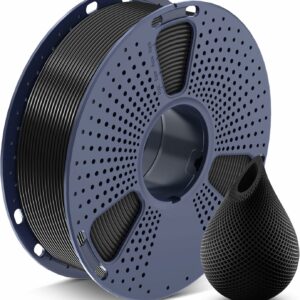
SUNLU’s PETG runs at 240–260 °C on a 60–70 °C bed, and that nozzle range sits within the limit of every filament printer we list.
Ventilation, heat and storage
Print and draw with ABS and ASA only in a well-ventilated room. Prusa warns that ABS releases fumes that could pose a potential health risk, and the SCRIB3D P1 manual says styrene filaments such as ABS can expose everyone in the room to styrene. 3Doodler also recommends a well-ventilated area for its pen filaments.
Ventilation shouldn’t mean a draught across the print, though: Prusa advises against creating one, since warping is one of the main drawbacks of ABS. An enclosure in a ventilated room solves both problems.
Heat resistance matters after printing too. SUNLU gives its PLA a heat deflection temperature of 55 ± 5 °C, so a PLA part left on a sunny windowsill or near a radiator can soften. SUNLU’s PETG is rated at 70 ± 5 °C.
Damp filament prints badly whatever the temperature. Polymaker lists nylon, PETG and PC as plastics that absorb moisture and advises sealed containers with desiccant; it dries its PolyLite PLA at 55 °C for 6 hours. Our guide to whether you need a filament dryer explains when drying is worth it. For pen refills, SCRIB3D advises storing filament sealed and dry.
Common questions
What temperature should I print PLA at?
Start in the middle of the range on your spool. Polymaker gives 190–230 °C for its PolyLite PLA and SUNLU gives 200–210 °C for its PLA at 50–100 mm/s. Then move in 5 °C steps if you see stringing or weak layers.
Can I use 3D printer filament in a 3D pen?
Yes, if your pen takes 1.75 mm PLA or ABS and the spool is 1.75 mm too. Set the pen within its own published range, not the range on the printer spool. Low-temperature pens such as the 3Doodler Start+ take only their own plastic.
Does PETG need an enclosure?
Polymaker’s guidance on PETG doesn’t call for one, unlike ABS and ASA. Open-frame printers such as the Flashforge Adventurer 5M list PETG among their materials. Keep the printer away from draughts all the same.
Why is my filament bubbling or popping?
Either the temperature is too high or the filament has absorbed moisture. Lower the temperature by 5–10 °C first, as the SCRIB3D P1 manual suggests. If the popping continues, dry the filament or open a fresh pack.
Sources
- By Material Type — Polymaker Wiki
- PolyLite PLA technical data sheet — Polymaker Wiki
- SUNLU PLA — SUNLU
- ABS — Prusa Knowledge Base
- User Manual Scrib3D P1 — SCRIB3D
- FAQs — 3Doodler