
Bambu Lab puts the A1 at around 48 dB in silent mode, Elegoo lists the Centauri Carbon at 55 dB or less, and some makers publish nothing. Makers don’t say how they measured, so treat the figures as a rough guide. Placement matters as much: a solid surface, away from bedrooms, in a room you can air.
A home 3D printer isn’t loud the way a hairdryer is loud. The trouble is time: some print runs take many hours, and the fans and motors keep going for the whole job. Every fast move also sends a buzz into whatever the printer stands on.
This guide covers where that noise comes from, why the decibel figures on spec sheets don’t line up, which features make a printer easier to live with, and how to pick a spot where it won’t bother anyone.
How loud is a 3D printer? What the makers publish
Here is what the makers publish for three of the filament printers we list. The gaps tell you as much as the numbers.
| Printer | Frame | Published noise figure | Conditions the maker gives |
|---|---|---|---|
| Bambu Lab A1 Combo | Open frame, moving bed | Around 48 dB | A1 printer in silent mode only; no distance stated |
| Elegoo Centauri Carbon | Enclosed CoreXY | 55 dB or less | No speed mode or distance stated |
| Flashforge Adventurer 5M | Open CoreXY | Not published by the manufacturer | The noise line in its specification table is left blank |
Bambu Lab’s figure is for the A1 printer itself; its FAQ gives no separate figure for the AMS lite feeder that comes in the Combo.
For a sense of scale, the HSE’s lower action value for noise at work is a daily personal exposure of 80 dB, and below the lower action values the HSE describes the risk as low. The published printer figures sit well under that. At home, the question is comfort and sleep rather than your hearing.
The HSE’s workplace guide also offers a simple test: you probably have a noise problem if people have to raise their voices to hold a normal conversation when about 2 m apart. It works as a check at home too. If you can’t talk across the room while the printer runs, it’s in the wrong room.
Where does 3D printer noise come from?
Bambu Lab’s own list of causes is mechanical vibration, the motor drive, fan operation and extruder movement. In practice, you’ll hear three kinds of sound.
Fans: the steady whoosh
Fans cool the hot end, the freshly laid plastic and, on an enclosed printer, the air in the chamber. Elegoo fits the Centauri Carbon with a fan on its extruder plus an auxiliary part-cooling fan and a chamber temperature regulator fan. The A1 drops one: Bambu Lab cools its motherboard with a heat sink against the aluminium frame, so there’s no motherboard fan. Fan noise is constant, which makes it easy to tune out by day and harder to ignore at night.
Motors: the whine
Stepper motors move the print head and the bed, and the way they’re driven shapes how much they whine. Some makers now name the feature on the spec sheet. Elegoo lists silent drive on all axes of the Centauri Carbon. Bambu Lab gives the A1 active motor noise cancelling: it measures each motor’s small imperfections and, while printing, drives a counter-vibration to cancel them.
Fast moves: the buzz and rattle
Each acceleration and deceleration sets the printer’s frame vibrating, Bambu Lab explains, which is why the A1 measures its own resonance and compensates for it. On the A1 the whole bed slides back and forth, so its weight swings with every move; Bambu Lab asks for about 695 mm of clear space front to back for that travel. Those vibrations pass into the furniture, and a light or hollow table can act like a sounding board.
Why makers’ decibel figures are hard to compare
On paper, the A1 and the Centauri Carbon are up to 7 dB apart. That doesn’t mean they will be on your desk, because the spec sheets leave out the details that decide a reading:
- The speed mode. Bambu Lab’s figure is for silent mode, one of the A1’s four speed modes (Silent, Standard, Sport and Turbo), and its FAQ gives no figure for the other three. Elegoo doesn’t say which mode its figure applies to.
- The distance. Neither maker says how far from the printer the reading was taken. Measured close up, any machine reads louder than it does across the room.
- The print. Neither says what was printing. Since vibration comes with every change of speed, a model with lots of short, busy moves won’t sound like a slow, simple one.
- The method. Neither page says whether the number is an average or a peak.
- No figure at all. Flashforge leaves the Adventurer 5M’s noise line blank, so there’s nothing to compare.
So treat a published figure as a starting point, not a ranking. It shows the maker has measured noise, and Bambu Lab’s also tells you which setting to use when quiet matters. Then choose on the features below, and on where the printer will live.
What actually matters if you want a quieter printer
A quiet mode you can switch to mid-print
This is the control you’ll use most. The A1 lets you change speed mode while a print runs, from the printer’s screen, the Bambu Handy app or Bambu Studio, and Bambu Lab’s 48 dB figure is for silent mode. Look for a mode the maker names, ideally with a figure attached, and switch to it in the evening.
Motor noise reduction you can recalibrate
Look for a named feature rather than a vague promise: Bambu Lab’s active motor noise cancelling, which you can rerun from the A1’s calibration menu, or Elegoo’s silent drive on every axis of the Centauri Carbon.
How the bed moves, and how much the printer weighs
A moving-bed printer swings its bed towards you and away, so it needs depth on the table and a surface that won’t rock. On the Centauri Carbon, a CoreXY, the head does the travelling across the top and the bed moves up and down on three lead screws, inside a die-cast aluminium frame. The trade-off is weight: at 17.5 kg it needs a strong, stable surface.
An enclosure, and what it can’t do
The HSE lists screens, barriers, enclosures and absorbent materials among the ways to cut noise on its way to people, so a closed chamber can help. It isn’t a guarantee: Elegoo’s published figure for the enclosed Centauri Carbon is no lower than Bambu Lab’s silent-mode figure for the open A1, and the chamber brings its own fan. Don’t build a box around an open-frame printer to quieten it, either: Bambu Lab doesn’t recommend enclosing the A1. Our guide to whether a printer needs an enclosure covers when a closed chamber is worth having.
Our picks for a quieter home printer
Two printers from our list fit this brief, for two different homes. For every other priority, from bed size to resin detail, see our ranked list of 3D printers.
For a shared room or home office: Bambu Lab A1 Combo
The Bambu Lab A1 Combo has the most noise features we can point to on paper: a published silent-mode figure of around 48 dB, active motor noise cancelling, no motherboard fan, and speed modes you can change mid-print from the Bambu Handy app. It adds the AMS lite for up to four colours in one print, on a 256 × 256 × 256 mm build volume.
Skip it if your table can’t give the bed about 695 mm of travel front to back, or if you plan to print ABS or ASA: Bambu Lab advises against those on the A1 unless the room is well ventilated and people are at a safe distance. If space is tight, our A1 mini vs A1 comparison shows what the smaller model gives up.
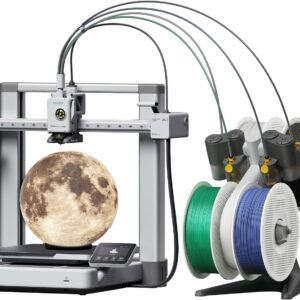
A published silent-mode figure, motor noise cancelling and speed modes you can change mid-print, with four-colour printing from the AMS lite in the box.
For a spare room, garage or workshop: Elegoo Centauri Carbon
The Elegoo Centauri Carbon suits a room of its own. It’s enclosed, Elegoo lists silent drive on all axes, and it handles ABS, ASA and carbon-fibre filaments. Elegoo gives an ambient range of 5–40 °C, wider than the A1’s recommended 10–30 °C, which helps in a spare room that isn’t heated every day. In an unheated garage, check the winter temperature against that range first.
Skip it if it has to share a bedroom or a quiet office: its published ceiling of 55 dB sits above the A1’s silent-mode figure, and the chamber fan runs with the print. At 17.5 kg, it also needs a sturdy bench rather than a light desk.
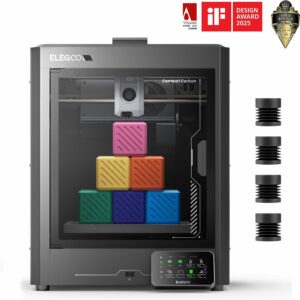
An enclosed CoreXY printer with silent drive on all axes, rated by Elegoo for rooms from 5 to 40 °C and for ABS, ASA and carbon-fibre filament.
Where should you put a 3D printer?
Check the spot against this list before you unbox:
- A solid, level surface that can take the printer’s weight, with room for any moving bed.
- Not in a bedroom, and not on the other side of a wall from one.
- A room you can ventilate, with a socket close by.
- Open air around the printer: never a closed cupboard.
- A room that stays within the maker’s temperature range all year.
On a solid, level surface
A 3D printer isn’t easy to move around, and CLEAPSS, in guidance endorsed by the HSE, recommends schools fix printers in place. At home, a heavy worktop or a sturdy bench does the same job. A wobbly flat-pack desk shakes along with the bed and passes the buzz on to the floor. Avoid a shelf on a party wall, too: your neighbours hear what the wall carries.
Away from bedrooms
Long prints are where noise turns into a problem, because the obvious time to run them is overnight. Put the printer in a room with a door you can close between it and anyone sleeping. If a job would run late, start it in the morning, switch to silent mode for the evening, or follow CLEAPSS’s advice and split it into smaller parts you can print separately.
In a room you can ventilate
CLEAPSS recommends a well-ventilated room with space to work around the printer and an adequate power supply. Noise and fumes push you towards the same kind of room: one with a window, used by day, away from where people sleep. Bambu Lab notes that ABS and ASA release harmful and irritating gases. Fumes need more than a paragraph here, so read our guide to fumes and safe placement at home before you settle on a room.
Never in a closed cupboard
Shutting a printer away is the obvious way to muffle it, and the wrong one.
Never run a printer inside a closed cupboard, or wrap it in blankets or foam to deaden the sound. It traps heat and fumes, can push the printer out of its maker’s temperature range, and means you won’t see or hear a problem early. Bambu Lab doesn’t recommend enclosing the A1 at all.
Bambu Lab recommends a room between 10 and 30 °C, with humidity under 85 %, for the A1; Elegoo gives 5–40 °C for the Centauri Carbon. If you want the printer out of sight, give it a room of its own rather than a box.
What to avoid
- Buying on a decibel figure alone. Without the mode, the distance and the method, two figures can’t be compared fairly, and some printers have none.
- A box or cupboard around an open-frame printer. It traps heat. If you want a closed chamber, buy a printer built with one, or an add-on its maker approves.
- A child’s bedroom. Long prints, fan noise and fumes add up, and the obvious time to run a long print is the night.
- Ignoring a new noise. A squeak or rattle that wasn’t there before usually means something needs attention. The A1’s accessory box includes oil for the rails and for quietening the idler wheels, and grease for the lead screws and extruder wheels; Bambu Lab prohibits grease on the X-axis linear rail. Turn the printer off and let it cool, then follow the maker’s manual.
- Muffling the fans. They cool the hot end and the print. Blocking them risks failed prints and a hotter machine for a slightly quieter room.
Common questions
Can I leave a 3D printer running overnight in a bedroom?
We wouldn’t. The fans and motors run for the whole print, long jobs can take many hours, and fumes are a second reason to keep printers out of rooms where people sleep. Run long prints in a separate, ventilated room, or start them in the morning.
Is a 3D printer loud enough to damage hearing?
Not on the figures makers publish. Bambu Lab gives around 48 dB for the A1 in silent mode and Elegoo gives 55 dB or less for the Centauri Carbon, while the HSE’s lower action value for noise at work is a daily exposure of 80 dB. The real issues at home are concentration and sleep.
Does an enclosure make a 3D printer quieter?
It can, because walls and absorbent panels block some sound on its way to you. But enclosed printers also need fans to manage heat in the chamber, so check the published figure rather than assuming. Don’t add a box to an open-frame printer unless its maker approves it.
How much space does a Bambu Lab A1 need?
Bambu Lab asks for about 695 mm of clear space front to back for the A1’s bed to travel. The AMS lite needs room too: Bambu Lab recommends about 50 mm between it and the printer. Measure your table before you buy.
Sources
- A1 FAQ — Bambu Lab Wiki
- A1 introduction — Bambu Lab Wiki
- Elegoo Centauri Carbon — Elegoo
- Flashforge Adventurer 5M — Flashforge
- 3D Printing in Schools and Colleges: Managing the Risks (G276) — CLEAPSS
- Noise at work: A brief guide to controlling the risks — Health and Safety Executive