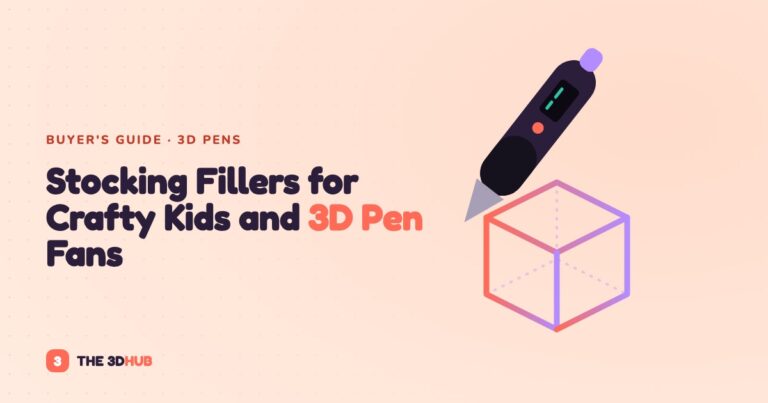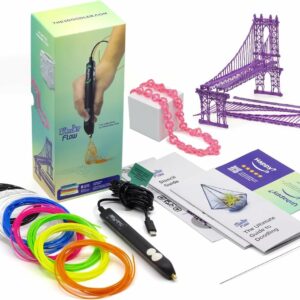

The full guide to the SCRIB3D P1
The SCRIB3D P1 is a mains-powered 3D pen for standard 1.75 mm PLA and ABS, with a screen that shows the target and actual nozzle temperature. It suits teenagers and adults who want to fine-tune heat for each filament rather than accept a fixed setting. The trade-off: there is no built-in battery, and SCRIB3D’s own documents disagree on the minimum age, so read the age section before buying for a child.
Key specifications
| Age | 14+ on SCRIB3D’s product page; the user manual says adult use only |
|---|---|
| Filaments | PLA and ABS, 1.75 mm |
| PLA temperature | 160–210 °C (listing and manual agree) |
| ABS temperature | 210–235 °C on SCRIB3D’s Amazon listing; 200–230 °C in the user manual |
| Temperature control | PLA and ABS modes, then fine-tuning with the temperature buttons |
| Display | LCD showing the set and current temperature |
| Speed control | Stepless, according to SCRIB3D’s listing |
| Nozzle | Ceramic; nozzle size not published by the maker |
| Auto sleep | After 2 minutes without use on the listing; 5 minutes in the manual |
| Power | 5 V 2 A adapter (100–240 V input); a power bank of at least 2 A also works, according to the manual |
| Battery | None built in |
Who it suits — and who should pick something else
- Pick it if you want to switch between PLA and ABS and see the exact temperature on screen. Being able to nudge the heat in small steps is what fixes bubbling and oozing on a pen like this.
- Pick it if you draw at a desk near a socket, or are happy to run it from a 2 A power bank.
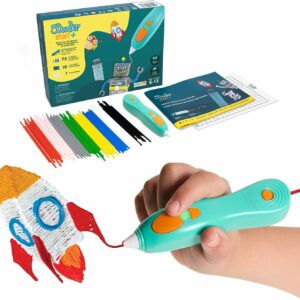
- Pick something else for a child under 14. SCRIB3D’s page says 14+, and its manual says adults only. For ages 6 to 13, the 3Doodler Start+ for younger children is built around low-temperature plastic instead.
- Pick something else if you want to set nothing at all: a one-button pen with automatic temperature is simpler, at the cost of control.
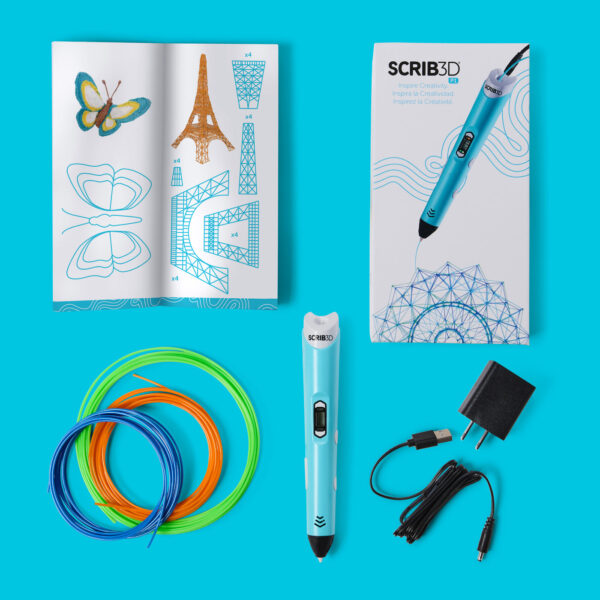
What’s in the box
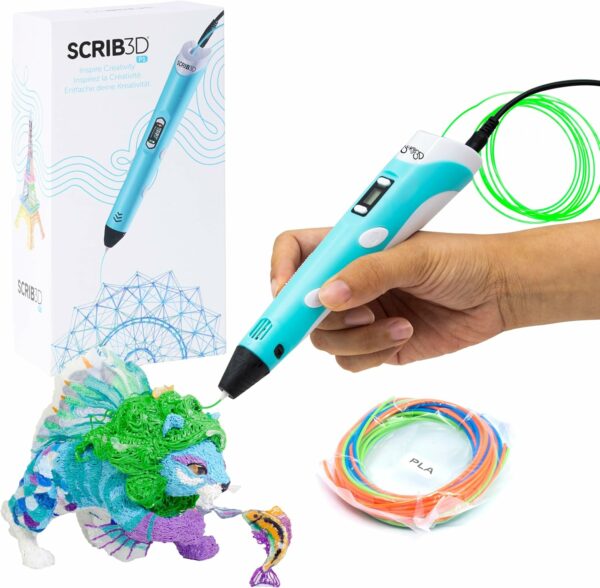
- SCRIB3D P1 3D pen
- Power adapter (5 V, 2 A)
- Three colours of PLA filament, 30 ft (about 9 m) in total
- Stencil guide
- User manual
The starter filament is enough for a few small projects. Plan a refill pack from the start.
How to use it
These steps follow SCRIB3D’s user manual.
- Plug the adapter into the wall and the pen. The power light turns yellow.
- The screen flashes PLA or ABS. Choose the mode that matches your filament with the temperature buttons, then press the forward button to start heating.
- Wait for the temperature light to change from red to green.
- Set the speed to maximum, then hold or double-click the forward button. Straighten the filament end and push it into the loader until you feel the pen pull it in.
- Draw with the pen held at about 65 degrees or steeper to the surface; SCRIB3D says this gives the best results on flat work.
- To change colour, use the reverse button to withdraw the strand fully, then snip the end flat before loading the next one.
To move from ABS to PLA mode, the manual says to unplug the pen and plug it back in. Our guide to your first hour with a 3D pen covers drawing technique, and the free 3D pen templates give you shapes to trace.
Temperature tuning and clogs
SCRIB3D’s manual gives clear rules for adjusting heat:
- Bubbling or a crackling sound: the temperature may be too high. Lower it by 5–10 °C.
- Dull, dark colour and a struggling motor: too cold. Raise it by 5–10 °C.
- Plastic oozing after you stop: common with PLA. Lower the temperature slightly and check you are in the right mode.
Most jams start with a bad filament end. The manual asks you to cut every strand flat before loading, to use reverse only when changing filament (a half-withdrawn strand can swell inside the pen), and to cut off any swollen or chewed section before reloading. If the pen still won’t feed, work through eight fixes for a clogged pen.
Refills and safety
The P1 takes 1.75 mm PLA and ABS. Its manual says to use filament approved by SCRIB3D and warns that non-approved materials void the warranty, so SCRIB3D’s own PLA refills are the default choice. Other 1.75 mm PLA packs fit the same feed hole; check their temperature range overlaps 160–210 °C. Low-temperature strands made for the 3Doodler Start do not fit.
The nozzle gets hot enough to burn. Keep it away from anything flammable, tell others the pen is hot, and let it cool fully before storing. The manual also warns that ABS releases styrene and asks you to always work in a well-ventilated room; PLA is the easier choice indoors. Store filament sealed and dry.
How it compares
| Published figure | SCRIB3D P1 | MYNT3D Super | LIHUACHEN RPC200B |
|---|---|---|---|
| Filaments | PLA, ABS (1.75 mm) | ABS, PLA (1.75 mm) | PLA only (1.75 mm) |
| Temperature | Set and shown on screen | Set with a screwdriver, no screen | Automatic, 190–210 °C |
| Age (maker) | 14+ / adults (manual) | Adults (manual) | 7+ |
| Power | Adapter or 2 A power bank | Adapter or 2 A power bank (manual) | Corded |
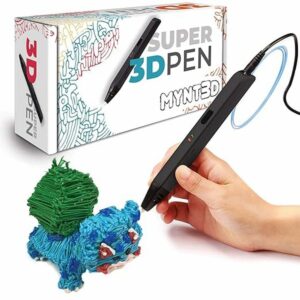
The MYNT3D Super is the closest alternative for adults; the P1’s screen makes temperature changes quicker. See the full order in our ranked list of 3D pens.
Common questions
What age is the SCRIB3D P1 for?
SCRIB3D’s product page says ages 14 and up, while its user manual says adult use only and keep out of reach of children. The nozzle reaches PLA and ABS temperatures, so we would treat it as a teen-and-adult pen with an adult nearby for younger teenagers.
Does the SCRIB3D P1 have a battery?
No. It runs from the 5 V 2 A adapter in the box. The manual says a third-party power bank with at least 2 A output also works, which lets you draw away from a socket.
What temperature should the P1 be for PLA and ABS?
SCRIB3D gives 160–210 °C for PLA. For ABS, the Amazon listing says 210–235 °C and the user manual says 200–230 °C. Start in the matching mode and adjust by 5–10 °C if you see bubbling or the motor struggles.
Can you use other brands of 1.75 mm filament?
Other 1.75 mm PLA physically fits, but SCRIB3D’s manual says to use filament it approves and that non-approved materials void the warranty. If you do try another brand, pick one whose published range sits inside the P1’s PLA range.
Why does the P1 switch itself off?
It goes to sleep when idle as a safety feature: after 2 minutes according to the listing, or 5 minutes according to the manual. Press any button to wake it and restart the heating sequence.
Specifications as published by SCRIB3D on its official pages, checked November 2026. Where a figure isn’t published, we say so.