
On a bed slinger, the bed slides back and forth carrying your print while the head moves side to side. On a CoreXY printer, the head does all the horizontal moving and the bed only steps down. Choose a bed slinger for a small, simple first printer; choose CoreXY for tall prints, a fixed footprint or an enclosure.
The motion system is the spec most buyers skip, yet it shapes where a printer can live, whether it can sit in a closed box and how it copes with a tall model. Below: how each design works, what it changes for you, and which of our printers suits which maker. If you’re still weighing up size, budget and features in general, start with our guide to choosing a first printer.
How a bed slinger and a CoreXY printer move
Every filament printer has to move the nozzle relative to the bed in three directions: left to right (X), front to back (Y) and up and down (Z). The two designs share out that work differently, and the difference is whether your print moves.
Bed slinger: the bed carries your print
On a bed slinger, the print head runs left and right along a bar, and the whole bed slides front to back underneath it. When a layer is done, the bar with the head on it rises by one layer. The nickname comes from that moving bed: everything on it, your half-finished print included, is pushed and stopped at every front-to-back change of direction.
The Bambu Lab A1 mini works this way, as does the larger Bambu Lab A1 Combo. The design is open by nature, with the bed, the head and the belts all in easy reach.
CoreXY: the head moves, the bed only goes down
On a CoreXY printer, two motors fixed to the frame pull a pair of long belts that both connect to the print head. Turn both motors the same way and the head moves along one axis; turn them in opposite directions and it moves along the other, as the original CoreXY description by Ilan Moyer sets out. The bed has one job: to drop by one layer height after each layer.
The point of the design is weight. Moyer explains that the motors, typically the biggest source of inertia, stay stationary, and that this is what allows rapid accelerations. The Flashforge Adventurer 5M and the Elegoo Centauri Carbon both use CoreXY; the first has an open frame, the second a closed box.
The three printers on paper
These are the makers’ published figures for the three printers this guide features. Speeds and accelerations are maximums, not everyday settings.
| Specification | Bambu Lab A1 mini | Flashforge Adventurer 5M | Elegoo Centauri Carbon |
|---|---|---|---|
| Motion system | Bed slinger, open frame | CoreXY, open frame | CoreXY, enclosed |
| Build volume | 180 × 180 × 180 mm | 220 × 220 × 220 mm | 256 × 256 × 256 mm |
| Max speed | 500 mm/s | 600 mm/s | 500 mm/s (250 mm/s recommended) |
| Max acceleration | 10,000 mm/s² | 20,000 mm/s² | 20,000 mm/s² (10,000 mm/s² default) |
| Printer dimensions | 347 × 315 × 365 mm | 363 × 376 × 413 mm without screen and spool holder | 398 × 404 × 490 mm |
| Net weight | 5.5 kg | Not published on Flashforge’s page | 17.5 kg |
| Max bed temperature | 80 °C | 100 °C | 110 °C at 25 °C room temperature |
| Operating noise | About 48 dB in silent mode (Bambu Lab FAQ) | Not published | 55 dB or less |
| ABS, per the maker | Not recommended | Not compatible | Supported |
What actually matters when you choose between them
Five things change for you as an owner. Note which way each one points for the prints you have in mind.
Tall prints and acceleration
This is where the two designs differ most. On a bed slinger, your print rides on the moving bed, so every front-to-back change of direction shoves the whole model too. Klipper’s documentation on resonance compensation lists heavy moving mass among the causes of ringing, the faint ripples that repeat after a sharp corner. It also notes that on a bed slinger the bed’s mass grows as filament is laid down, which lowers its resonance frequency. In plain terms, the machine behaves differently near the top of a tall, heavy print than it did at the start.
Tall, thin parts are the hardest case: a lampshade, a narrow tower, a figure’s raised arm. They’re held only at the base, and the base is the part being swung back and forth. On a CoreXY printer the print never moves sideways; the bed simply lowers it, layer by layer, under a head that does all the travelling.
Both CoreXY printers here list a maximum acceleration of 20,000 mm/s², double the 10,000 mm/s² listed for the A1 mini. That fits Moyer’s point, though these are different machines from different makers, so read it as a pattern rather than proof. Treat headline figures as ceilings, though: Elegoo quotes 500 mm/s for the Centauri Carbon but recommends 250 mm/s. How fast you should run a particular part is a settings question, covered in our guide to print speed against quality.
What to look for: if tall vases, lamps, cosplay pieces or figures are on your list, lean towards CoreXY. If most of what you print is low and wide, such as keyrings, coasters, clips and small boxes, a bed slinger handles it well.
Footprint and desk space
A CoreXY printer’s motion stays inside its frame, so the published dimensions are close to the space it needs, plus room for the spool and some air around it. Elegoo gives 398 × 404 × 490 mm for the Centauri Carbon. Flashforge gives 363 × 376 × 413 mm for the Adventurer 5M, or 363 × 402 × 448 mm once you include its screen.
A bed slinger needs more than its base suggests, because the bed travels front to back and needs clear space in front of and behind the printer. Bambu Lab gives the A1 mini as 347 × 315 × 365 mm and asks for about 390 mm of clear space front to back for the moving bed, so keep walls, cables and the spool out of its path. The bigger the bed, the longer that travel, which is one of the trade-offs in our A1 mini vs A1 comparison.
Weight matters for shelves. The A1 mini is 5.5 kg; the Centauri Carbon is 17.5 kg. Flashforge doesn’t list a net weight for the Adventurer 5M on its product page.
What to look for: for a bed slinger, measure the depth you have, not just the width. For a CoreXY, check the height, especially under a shelf, and that the surface can take the weight.
Enclosure and materials
ABS and ASA want an enclosure. CoreXY suits a box because the bed never leaves the frame. A bed slinger’s moving bed means any box has to clear the bed at both ends of its travel, which makes it bulkier.
CoreXY doesn’t automatically mean enclosed, though. The Adventurer 5M is an open CoreXY: Flashforge lists PLA and PETG for its 0.4 mm nozzle (TPU needs the optional 0.6 or 0.8 mm nozzle) and states that ABS filaments aren’t compatible with it. Bambu Lab’s spec sheet for the A1 mini rates PLA, PETG, TPU and PVA as ideal, and ABS, ASA, PC, PA and fibre-reinforced filaments as not recommended. Of the three, only the Centauri Carbon, with its glass door, 110 °C bed and 320 °C hardened-steel nozzle, has ABS, ASA, PC, nylon and carbon- or glass-fibre filaments on its maker’s list.
What to look for: write down the materials you’ll actually print. If they’re all PLA, PETG or TPU, an open frame of either type will do. If ABS, ASA or a fibre-filled filament is on the list, you want an enclosed CoreXY; our Centauri Carbon vs A1 comparison goes through that choice in detail.
Noise
The makers’ figures help less here than you’d hope. Elegoo publishes an operating sound level of 55 dB or less for the Centauri Carbon and lists silent motor drives on all axes. Bambu Lab’s A1 mini FAQ gives about 48 dB in silent mode; Flashforge gives no figure for the Adventurer 5M, and neither Elegoo nor Bambu Lab states a measuring distance, so the figures don’t compare cleanly.
What to look for: the motion system alone won’t tell you which is quieter. If the printer will share a bedroom or home office, favour a maker that publishes a figure, and run long prints when the room is empty.
Maintenance and access
Both designs run on belts, and Klipper’s documentation names belts that are loose or too springy among the usual mechanical causes of ringing, alongside a frame that isn’t rigid enough and parts out of alignment. On a bed slinger, each belt drives one direction. On a CoreXY, both motors share every move, so the two long belts work as a pair. Elegoo fits the Centauri Carbon with a semi-automatic belt tensioner that it says maintains the right tension, and Flashforge describes the Adventurer 5M’s all-metal frame as low-maintenance.
The Z axis differs too. A CoreXY bed has to stay level while it descends, and the Centauri Carbon carries it on three lead screws and three guide rods. On a bed slinger, the bar with the head on it does the rising instead.
Access is the everyday difference. On an open frame, the bed, nozzle and belts are in reach; on an enclosed printer you work through the door. The Adventurer 5M’s quick-release nozzle swaps in about 3 seconds, according to Flashforge. Whatever you own, unplug it and let the nozzle cool before you touch it, and follow the maker’s manual for anything that involves removing parts. If layers ever step sideways part-way up a print, our layer shift guide takes you through the causes.
Our picks by reader profile
Answer these questions in order; the first clear yes points to a profile below.
- Will you print ABS, ASA, nylon or a fibre-filled filament? Go for the enclosed CoreXY.
- Is space tight and are your prints mostly small? Go for the compact bed slinger.
- Are tall or quick PLA and PETG prints the main goal? Go for the open CoreXY.
- Do you want a bigger bed and several colours in one print? Go for the larger bed slinger with a colour feeder.
A first printer for a small space: Bambu Lab A1 mini
The A1 mini arrives assembled, calibrates itself and prints at up to 500 mm/s, with a 180 × 180 × 180 mm build volume. At 5.5 kg it weighs under a third of the Centauri Carbon, and the small bed keeps its front-to-back travel short. It suits keyrings, toys, gifts and household fixes in PLA and PETG, and the optional AMS lite adds up to four colours. Skip it if your list includes tall pieces that fill most of its 180 mm height, or anything in ABS or ASA.
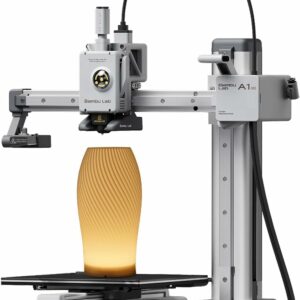
A self-calibrating bed slinger that arrives assembled, with a compact 180 mm bed and up to 500 mm/s for PLA, PETG and TPU.
A bigger bed slinger with colour: Bambu Lab A1 Combo
The Bambu Lab A1 Combo keeps the moving-bed design but stretches it to 256 × 256 × 256 mm, the same volume as the Centauri Carbon, and includes the AMS lite for up to four colours in one print. It’s the bed slinger to choose if multicolour signs, name tags and figures matter more than an enclosure. Skip it if your space has little depth, as the bigger bed travels further, or if ABS is on your list: the open frame is best with PLA, PETG and TPU.
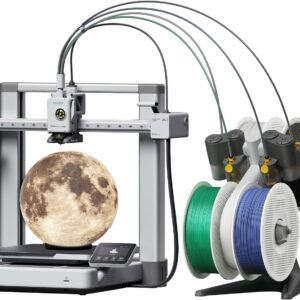
A 256 mm bed slinger with automatic calibration and the AMS lite in the box, for up to four colours in one print.
A fast open CoreXY for PLA and PETG: Flashforge Adventurer 5M
The Flashforge Adventurer 5M gives you the CoreXY advantages without the box: a print that stays still, a footprint that doesn’t change, and the highest listed top speed here at 600 mm/s. One-click levelling, a removable magnetic PEI plate and the quick-release nozzle keep it simple, and Flashforge says it’s ready to print about 10 minutes after unboxing. Its 220 mm bed sits between the A1 mini and the A1 Combo. Skip it if you need ABS or ASA, or several colours in one print, as it prints one colour at a time.
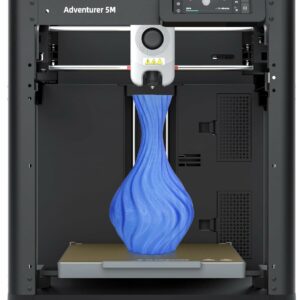
Open CoreXY with a 220 mm bed, one-click levelling and a quick-release nozzle, for tall and quick prints in PLA and PETG, and TPU with the optional 0.6 mm nozzle.
An enclosed CoreXY for engineering plastics: Elegoo Centauri Carbon
The Elegoo Centauri Carbon is CoreXY with everything the design makes possible: a closed chamber, a die-cast aluminium frame, a 256 mm cube of build volume and a 320 °C hardened-steel nozzle for carbon-fibre filaments. It arrives assembled and pre-calibrated, with a chamber camera for keeping an eye on long prints. Skip it if it would sit on a light shelf, at 17.5 kg, or if multicolour prints are the point, since this model prints one colour at a time.
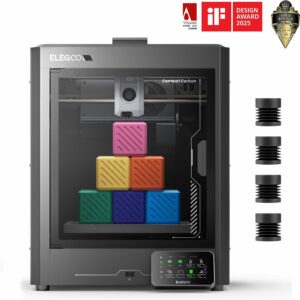
Enclosed CoreXY with a 256 mm build volume and a 320 °C hardened-steel nozzle, listed by Elegoo for ABS, ASA and fibre-filled filaments.
What to avoid
- Choosing on the top speed alone. Headline speeds are maximums. Elegoo’s recommended speed for the Centauri Carbon is half its own 500 mm/s figure.
- Measuring a bed slinger by its base. Allow for the bed’s travel in front and behind, or it will meet whatever is in the way.
- Assuming CoreXY means ABS-ready. The Adventurer 5M is CoreXY, and Flashforge states that ABS filaments aren’t compatible with it. Check the maker’s material list, not the motion system.
- Ignoring the belts. If ripples start to appear after corners, check belt tension the way your maker’s manual describes before blaming the design.
Common questions
Is a CoreXY printer better for beginners than a bed slinger?
Not automatically. The Bambu Lab A1 mini is a bed slinger that arrives assembled and calibrates itself, which is why it’s our first-printer pick. CoreXY earns its place when you want tall prints, a fixed footprint or an enclosure, so choose by your space and the materials you’ll use.
Can a bed slinger print tall objects?
Yes, up to its height limit, which is 180 mm on the A1 mini. The print moves with the bed throughout, though, and Klipper’s documentation notes that the bed’s mass grows as the print builds up. On a CoreXY the print stays still.
Is CoreXY harder to maintain?
It’s different rather than harder. Both motors share every move through two long belts that work as a pair, and the Centauri Carbon has a semi-automatic belt tensioner. Always unplug and let the nozzle cool first, and follow the maker’s manual.
Can I put an enclosure around a bed slinger?
You can, but the box must clear the bed at both ends of its travel, so it ends up bulkier. It also doesn’t change the maker’s list: Bambu Lab rates ABS and ASA as not recommended on the A1 mini.
Which is quieter, CoreXY or a bed slinger?
The motion system alone doesn’t settle it. Elegoo publishes 55 dB or less for the Centauri Carbon, and Bambu Lab’s FAQ gives about 48 dB in silent mode for the A1 mini. Flashforge gives no figure for the Adventurer 5M, and neither Elegoo nor Bambu Lab states a measuring distance, so the figures don’t compare cleanly.
Sources
- CoreXY | Cartesian Motion Platform — Ilan E. Moyer
- CoreXY: Principle of Operation — Ilan E. Moyer
- Resonance Compensation — Klipper documentation
- Bambu Lab A1 mini Technical Specification — Bambu Lab
- A1 mini FAQ — Bambu Lab Wiki
- Adventurer 5M 3D Printer — Flashforge
- Centauri Carbon — Elegoo