

Most of the time it’s the power supply, not the pen. Use the pen’s own adapter, or one with the same output (5 V at 2 A for the SCRIB3D P1 and MYNT3D Super), push the plug fully home and try another socket. Then pick a mode and press feed: some pens don’t start heating until you do.
More often than not, a cold pen is a power problem, so rule out the supply and the settings first. They cost nothing to check, and opening the pen voids both makers’ warranties. Work through the checks below in order.
For the temperature ranges makers publish for each material, see our filament temperature chart.
Try this first: is it the power or the pen?
Start with the lights. According to SCRIB3D’s manual, the SCRIB3D P1 shows a yellow power light once the adapter is plugged in, and a temperature light that stays red while it heats and turns green when it’s ready. Other pens use their own signals, so check your manual.
| What you see | Most likely cause | Start with |
|---|---|---|
| No light at all | No power reaching the pen | Causes 1 and 2 |
| Light on, never ready, on a laptop or power bank | The supply is too weak | Causes 1 and 3 |
| Light on, display flashing ABS or PLA | The pen is waiting for a mode | Cause 4 |
| Ready, but plastic comes out dull, thick or slow | Temperature set too low | Cause 5 |
| It was ready, then went cold after a pause | Sleep mode | Cause 6 |
| Temperature never rises on a known-good adapter | Heater or nozzle fault | Cause 7 |
The rule of thumb: no light means power; a light but no heat means settings, then supply. If the pen reaches ready and nothing comes out, it isn’t a heating fault: read how to clear a clogged nozzle or, if the strand won’t move, our guide to filament that won’t feed.
Then go through this checklist from the top:
- Unplug the pen and look over the adapter, plug and cable for damage or burn marks.
- Plug the adapter straight into a wall socket and switch the socket on.
- Push the cable firmly into the pen.
- Compare the output on the adapter’s label with your manual.
- Switch on, choose PLA or ABS and press feed or forward once.
- Wait for the ready signal.
Why won’t a 3D pen heat up? Causes, most likely first
Usually because the pen isn’t getting enough power, or hasn’t been told to heat. Before you touch the nozzle, unplug the pen and let it cool: SCRIB3D’s manual warns that it can burn you.
1. The adapter can’t supply enough current
Symptom: the lights come on, but the pen never gets to ready, often on a laptop or a spare charger. Why: MYNT3D warns against powering its pens from laptops or Chromebooks, which it says deliver 900 mA at most against the 2,000 mA required. SCRIB3D rates the P1’s adapter at 5 V DC, 2 A.
Fix: go back to the adapter that came with the pen. If it has failed, SCRIB3D’s troubleshooting table suggests another 5 V, 2 A adapter with a 3.8 mm centre-positive barrel plug, but its warranty excludes adapters it hasn’t sold or licensed, so email SCRIB3D first while a P1 is under warranty. Electrical Safety First advises buying chargers from a reputable retailer, not a third-party seller online.
2. The plug, cable or socket
Symptom: no light at all. Why: SCRIB3D gives three reasons for a power light that won’t come on: the adapter or plug, the pen’s power socket, or its electronics. Only the first is yours to fix.
Fix: push both ends fully home, then try another wall socket, without an extension lead. MYNT3D suggests trying another AC-to-USB adapter when the display won’t come on. If the light still stays off, the fault is inside the pen: see contacting the maker, below.
If the adapter, plug or socket feels too hot to touch, smells odd, sparks or smokes, or shows burn marks, swelling or cracks, unplug it at once and contact the retailer or maker, as Electrical Safety First advises. Never open the pen or its adapter to look for the fault.
3. A power bank that’s too weak or flat
Symptom: the pen works on its adapter but stays cold on a power bank. Why: both makers say a power bank works only if it can deliver at least 2 A: SCRIB3D in the P1 manual, MYNT3D on its troubleshooting page. The MYNT3D Super has no battery of its own, so it depends entirely on that supply.
Fix: read the output printed on the power bank, use a port rated at 2 A or more, and charge it fully before you draw.
4. The pen is waiting for you to choose a mode
Symptom: the power light is on, but the temperature doesn’t climb, or the P1’s display keeps flashing ABS or PLA. Why: SCRIB3D’s manual says the display flashes until you press the forward button to choose a mode, and heating starts then. MYNT3D’s first fix for a pen that won’t heat is the same: press the feed button to begin heating.
Fix: select the mode that matches your filament and press forward or feed once. Our guide on how to start and load a pen covers the full routine.
5. The temperature is set too low for the filament
Symptom: the pen says it’s ready, but the plastic comes out dull, thick or slow, and the motor strains. Why: SCRIB3D’s manual links dim, dark filament and a struggling motor to a temperature that’s too low; MYNT3D says the same of thick, slow filament.
Fix: check the mode matches the filament, then raise the temperature 5–10 °C at a time, as SCRIB3D suggests, within the pen’s range (160–210 °C for PLA on the P1) and the one on the pack. On the P1, switching from ABS to PLA means unplugging the pen and plugging it back in. Overshoot and the plastic may bubble or crackle, which SCRIB3D puts down to too much heat: that’s where bubbles and stringy lines start.
6. It has gone to sleep
Symptom: the pen was ready, you paused, and now it’s cold. Why: it’s a safety feature, not a fault: the P1 goes to sleep after 2 minutes without use according to SCRIB3D’s Amazon listing, or 5 minutes according to its user manual.
Fix: press any button to wake it and restart the heating sequence, then wait for the ready light again.
7. The heater or nozzle has failed
Symptom: with a known-good adapter, the right mode and feed pressed, the temperature never rises. Why: SCRIB3D puts a P1 that won’t heat down to the heating element or nozzle, and MYNT3D’s answer to a temperature that won’t rise is a new nozzle.
Fix: this one is for the maker. If your manual or the maker’s support explains how to fit a replacement nozzle, follow those instructions exactly, with the pen unplugged and cold; otherwise email the maker. Don’t open the pen to look.
When should you contact the maker or replace the pen?
When the power light stays off on a known-good adapter, or the temperature won’t rise with everything set correctly. Both point to a fault inside the pen, and both makers’ warranties exclude pens opened without their customer service’s instruction.
SCRIB3D covers its pens for one year from the original date of purchase, and its warranty applies to purchases in the UK: email help@scrib3dpen.com before you return anything. MYNT3D’s one-year warranty also covers the adapter shipped with the pen, but its published terms apply to purchases in North America unless MYNT3D states otherwise. If you bought in the UK, email support@mynt3d.com and contact the seller too.
Citizens Advice’s guidance is that any warranty sits on top of your legal rights; keep your proof of purchase.
If the maker can’t help, compare replacements in our ranked list of 3D pens. For a replacement we’d start with the SCRIB3D P1: its maker publishes the adapter rating and what each light means, and its warranty applies to UK purchases.
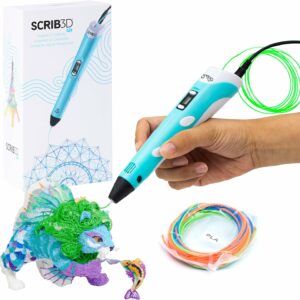
Published PLA and ABS ranges, a display that shows the mode and temperature, and a documented 5 V, 2 A adapter, so you know exactly what to check if it ever runs cold.
Common questions
Can I power a 3D pen from a laptop USB port?
Not one that needs 2 A. MYNT3D says laptops and Chromebooks deliver 900 mA at most, against the 2,000 mA its pens require. Use a wall adapter with the output your manual specifies.
Can I use a phone charger for my 3D pen?
Only if the output on its label matches your manual, and the plug fits. For the SCRIB3D P1, that means 5 V and 2 A through a 3.8 mm centre-positive barrel plug, and SCRIB3D’s warranty excludes adapters it hasn’t sold or licensed, so ask the maker first.
How long should a 3D pen take to heat up?
It varies, and not every maker publishes a figure. For the LIHUACHEN RPC200B 3D Pen (Button Version), LIHUACHEN quotes about 60 seconds; SCRIB3D and MYNT3D don’t give one for the P1 or the Super. Watch the ready signal rather than the clock, and if the temperature doesn’t move at all, start with the power checks.
Sources
- User Manual Scrib3D P1 (PDF) — SCRIB3D
- Warranty — SCRIB3D
- Tips + Troubleshooting — MYNT3D
- Warranty — MYNT3D
- Electrical Safety Advice for USB Chargers — Electrical Safety First
- Claim using a warranty or guarantee — Citizens Advice